
You can share a matter with other users and control their level of access. To share a matter or manage its members, you must be the matter owner or have full member permissions.
Sharing a matter #
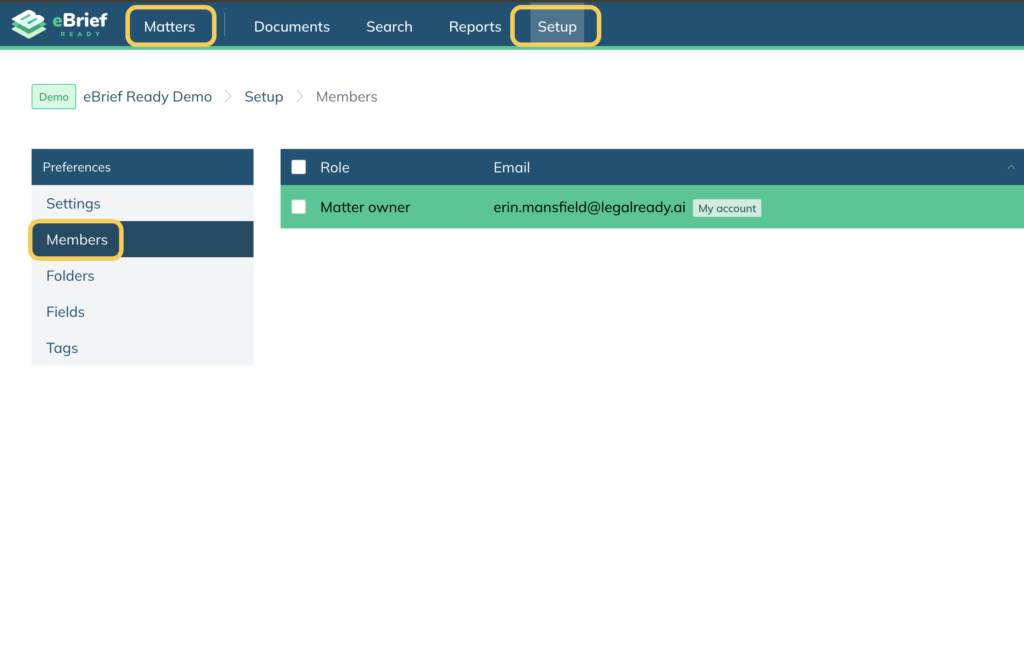
- Open the matter and click Setup in the top navigation menu
- Select Members from the left hand side – you will see a list of all members currently associated with the matter
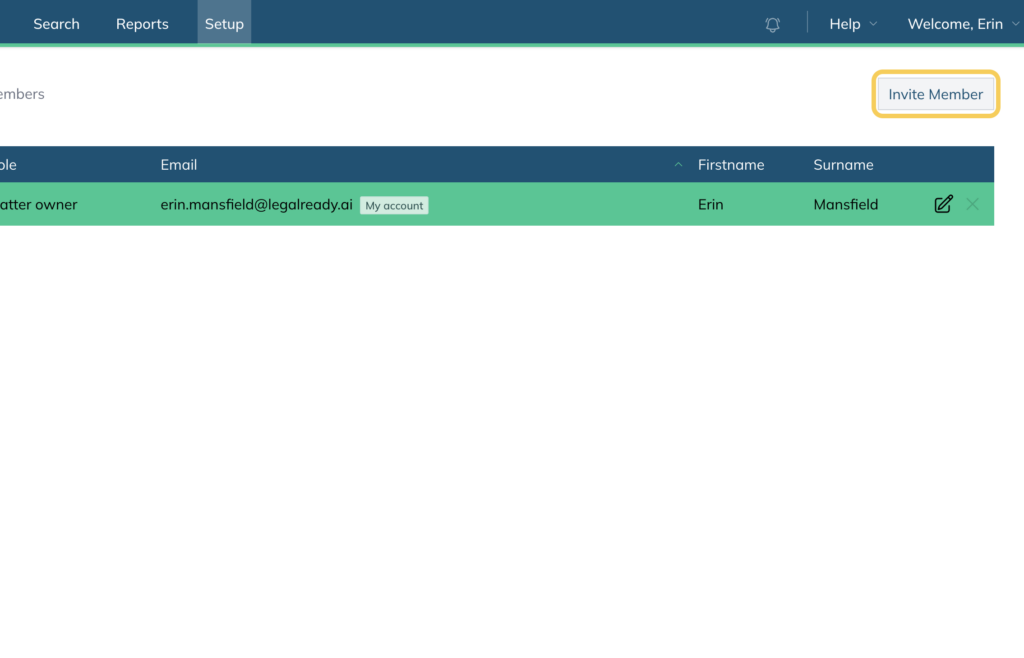
- Click Invite Member in the top right corner
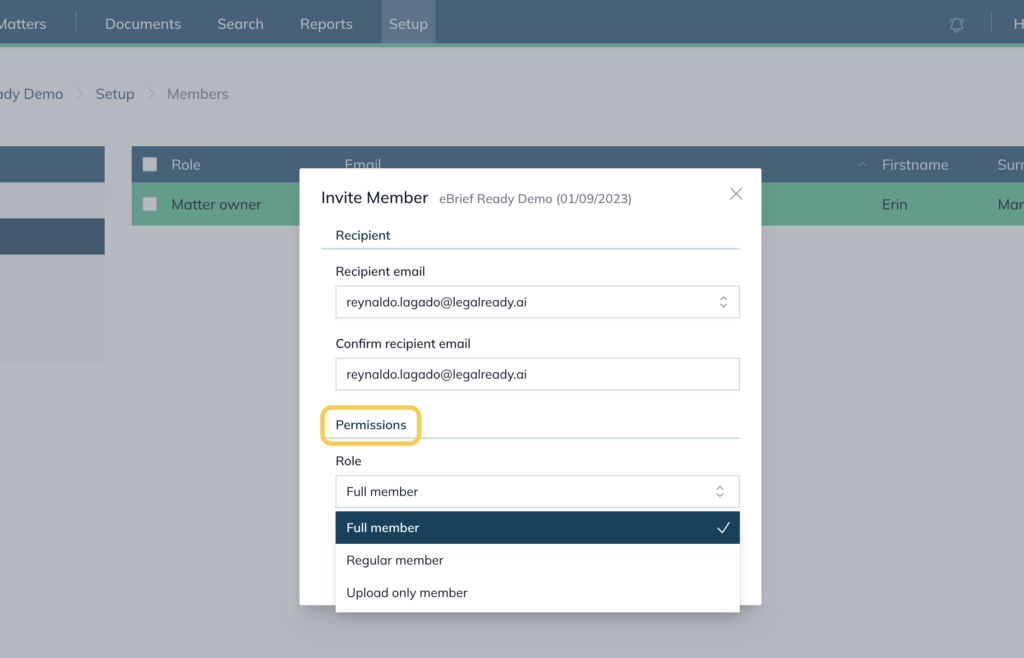
- Enter the recipient’s email address and confirm it
- Select their permission level from the Role dropdown (see Permissions Levels below for more information)
- Click Share
Permission levels #
Control the type of access members have by the permission level you allocate to them.
| Permission Level | Access |
| Matter owner | Full control over the matter, including deleting it. |
| Full member | Can fully manage the matter except for deleting it. Can: upload, edit and delete documents; create and modify folders; share the matter with others; change matter settings; create briefs and court books. |
| Regular member | Limited access. Can view and upload documents. Cannot: change matter settings; share the matter; create or change folders or their order; edit or delete documents (except their own uploaded documents in the Document Inbox folder). |
| Upload only member | Can only upload new documents to the matter. Cannot view any other documents already in the matter. Useful when a third party needs to provide documents without full matter access. |
Removing a member #
- Open the matter and click Setup in the top navigation menu
- Select Members from the left hand side
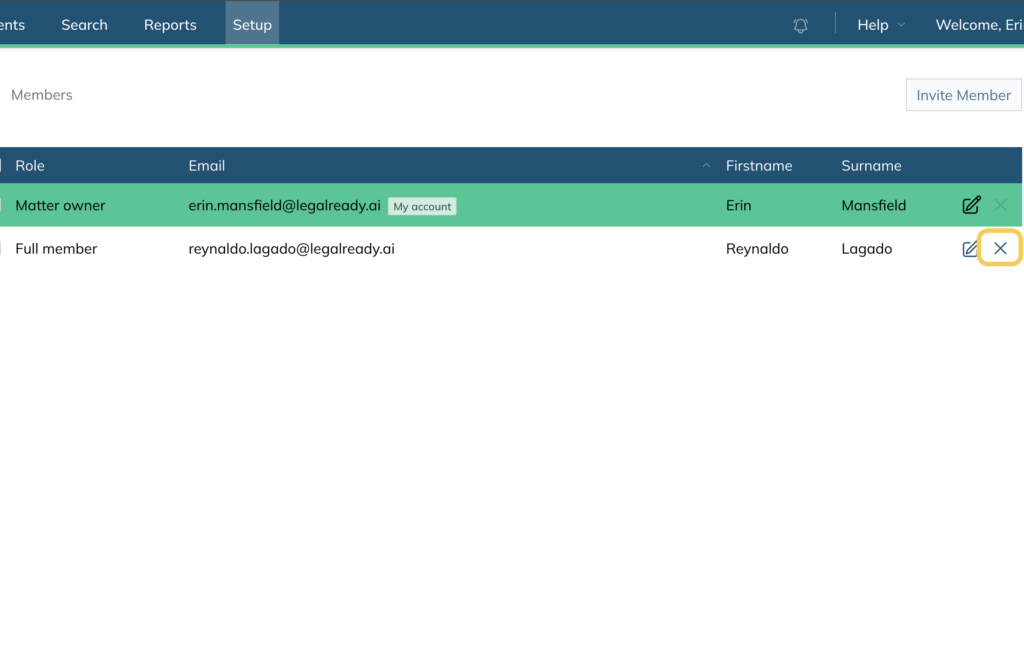
- Click the X button next to the member’s name
- Click OK
Once removed, the member will no longer have access to the matter.
For further information or assistance, please do not hesitate to reach out to our dedicated Support Team via support@legalready.ai or +61 3 9020 4456.