
You can share a document, brief or download with anyone via a link without them needing an eBrief Ready account. The recipient simply clicks the link to access the file.
Sharing a document #
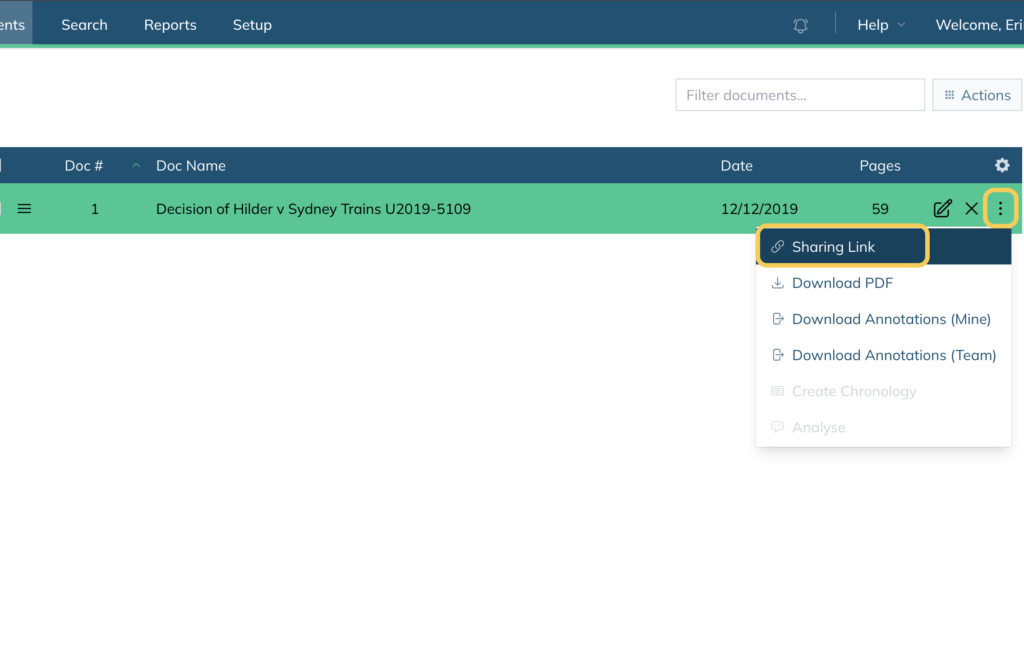
- Click into your matter and open the folder containing the document you want to share
- Click the three dots on the right hand side of the document
- Select Sharing Link from the dropdown
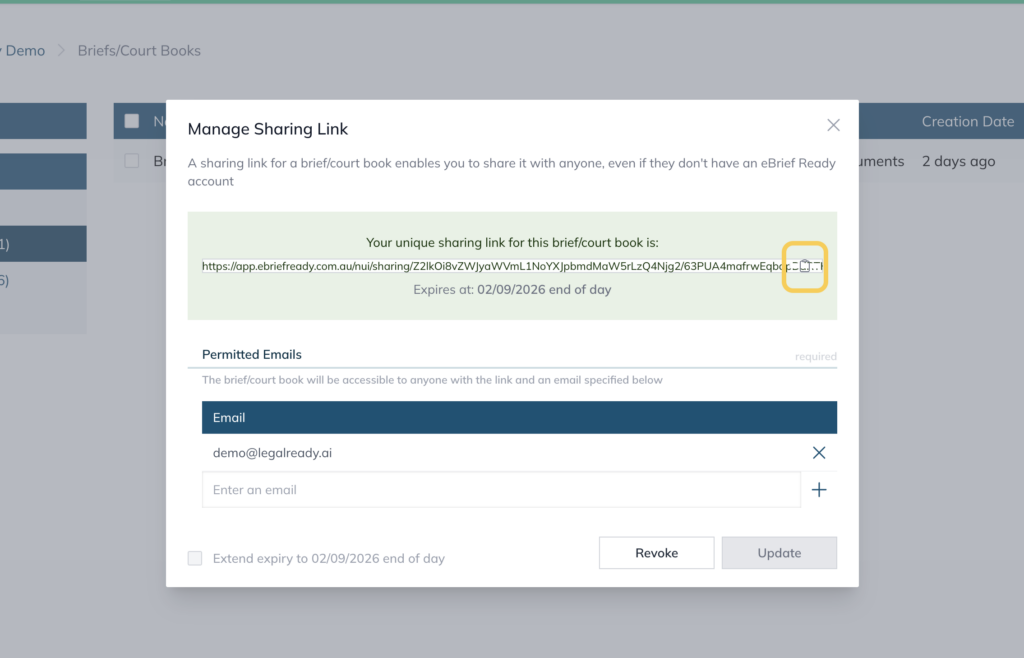
- Enter the email address of the recipient/s
- Click Create
- Click the copy icon on the right hand side to copy the link and paste it into an email or message
Sharing a brief or court book #
- Click into your matter and go to Briefs/Court Books under Extras
- Click the three dots on the right hand side of the brief you want to share
- Select Sharing Link from the dropdown
- Enter the email address of the recipient/s
- Click Create
- Click the copy icon on the right hand side to copy the link and paste it into an email or message
Sharing a download #
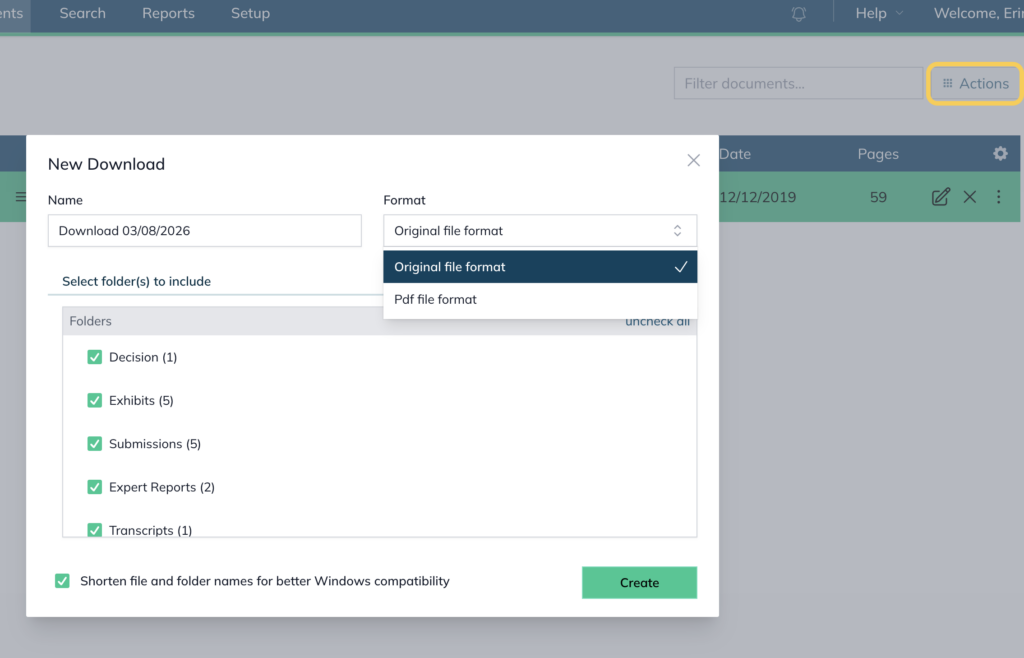
- Click Actions and select Create Download
- Name the download and select the folders and file format you want to include
- Click Create
- Once the download is complete, go to Extras → Downloads
- Click the three dots on the right hand side of the download
- Select Sharing Link from the dropdown
- Enter the email address of the recipient/s
- Click Create
- Click the copy icon on the right hand side to copy the link and paste it into an email or message
Additional information on Create Share Link #
Once a sharing link is created, the document will be accessible to anyone with the link.
The sharing link will expire automatically after 30 days. To extend it, tick Extend expiry and click Update to add another 30 days.
Note: While the sharing link expires after 30 days, the document will remain permanently accessible to anyone with access to the matter. Any correspondence containing the sharing link will continue to function until the matter is deleted.
Sharing link access log #
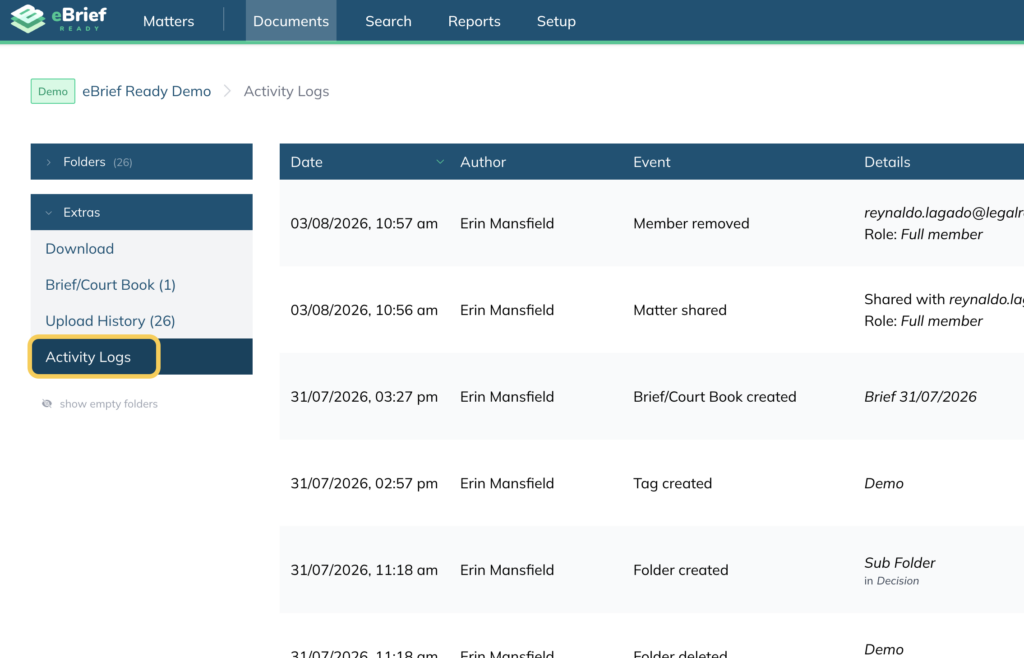
When a recipient accesses the link they will be required to log in. Once accessed, this will be recorded in the matter’s Activity Logs, found under Extras in the Documents tab.
For further information or assistance, please do not hesitate to reach out to our dedicated Support Team via support@legalready.ai or +61 3 9020 4456.