
eBrief Ready allows you to perform a full text search across all documents in a matter. You can filter results by folder, document type, date range and tags.
How to search #
- Click the AI Dashboard tab in the top navigation menu
- Click Search by Keyword on the far right of the Discovery & Analysis section
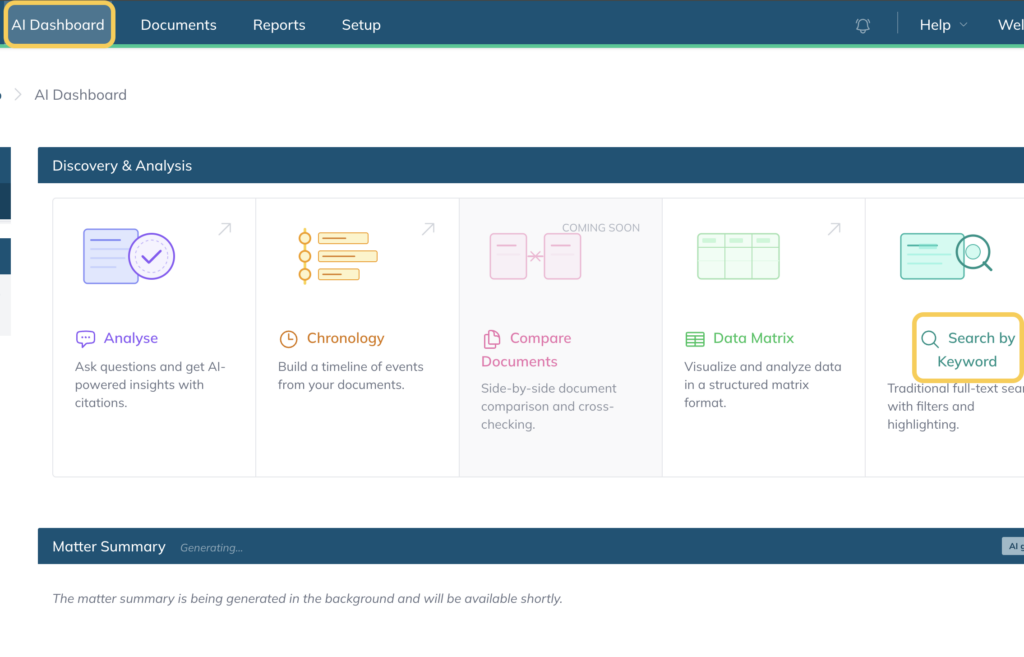
- Enter the word or phrase you want to search for in the search bar
- Click Search
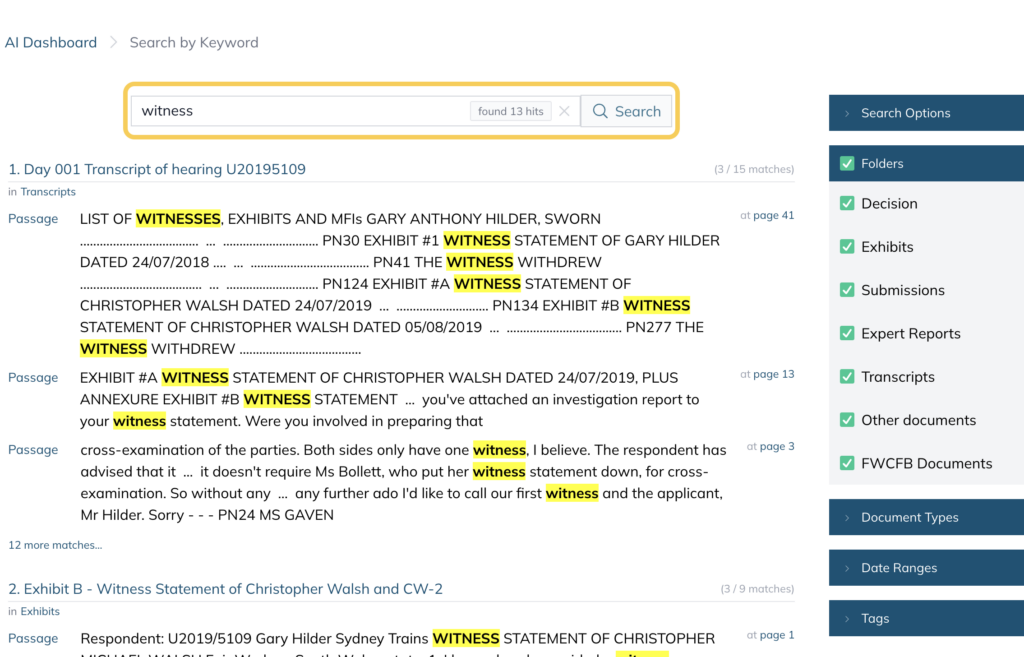
The results will come up highlighted, showing the passages where your search term appears along with the corresponding page number.
Filtering your search #
On the right hand side of the search panel you can narrow your results using the following filters:
- Folders — select specific folders to search within (you can choose one folder or all folders)
- Document Types — filter by file type such as PDF, emails or Word documents
- Date Ranges — limit results to documents within a specific date range
- Tags — filter results by tag
You can search for documents within a specific date range. When you enter a date range, only documents that relate to that period will appear in the results.
How to search by date range #
- Click into your matter and click the Search tab in the top navigation menu.
- In the search panel, select the Date Range filter on the left hand side.
- Enter a start date and an end date.
Only documents with a date that falls within the selected range will be shown in the results.
For example, to find all documents from August 2019, enter 1st August 2019 as the start date and 31st August 2019 as the end date.
Searching tips #
For more targeted searches, you can search for words that appear within a set distance of each other.
For example, searching for “dismissal” within 10 words of “applicant” will return all passages where both words appear close together.
For a full list of advanced search operators see How to complete advanced searches.
For further information or assistance, please do not hesitate to reach out to our dedicated Support Team via support@legalready.ai or +61 3 9020 4456.