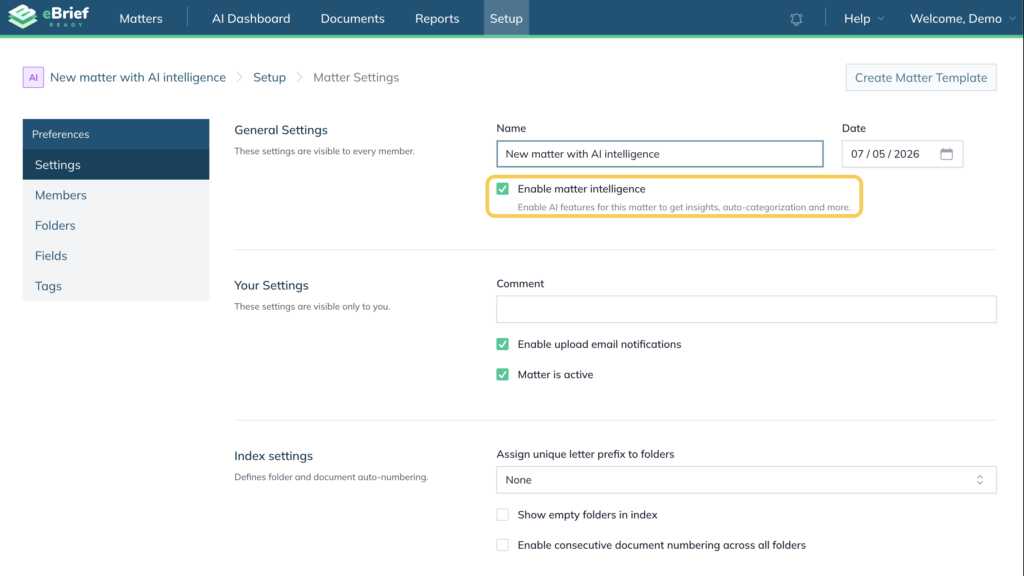
This article explains how to enable AI features in your account and how to activate Matter Intelligence for your matters.
AI features are enabled in two steps:
- At the account level, by accepting the AI End User Licence Agreement (EULA)
- At the matter level, by enabling Matter Intelligence
Step 1: Enable AI Features #
Before using AI-powered functionality, you must accept the AI EULA.
Option 1: Accept the EULA from the notification #
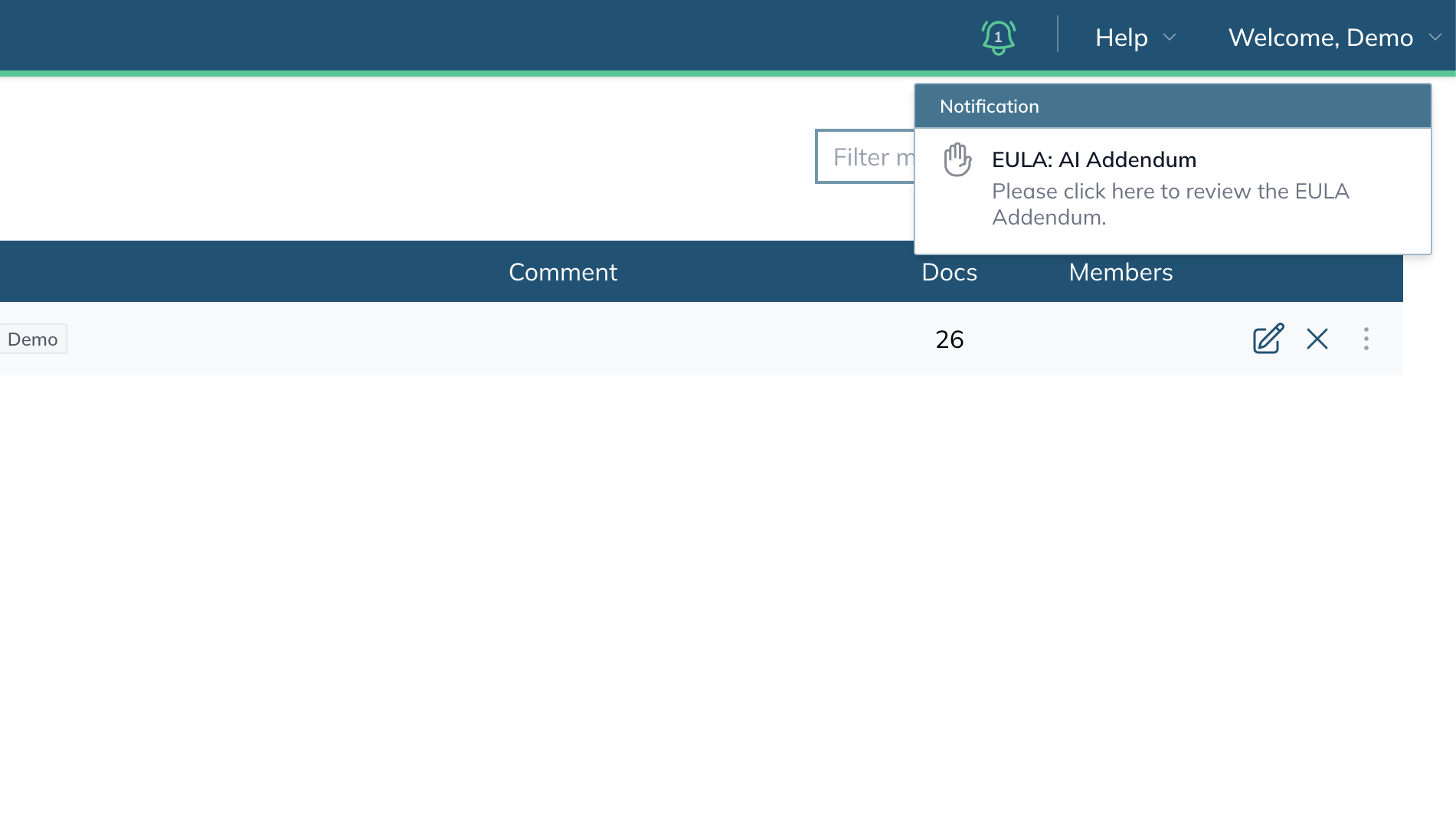
If AI features are available under your account, a notification appears in the top-right corner of the platform.
- Click the AI notification message.
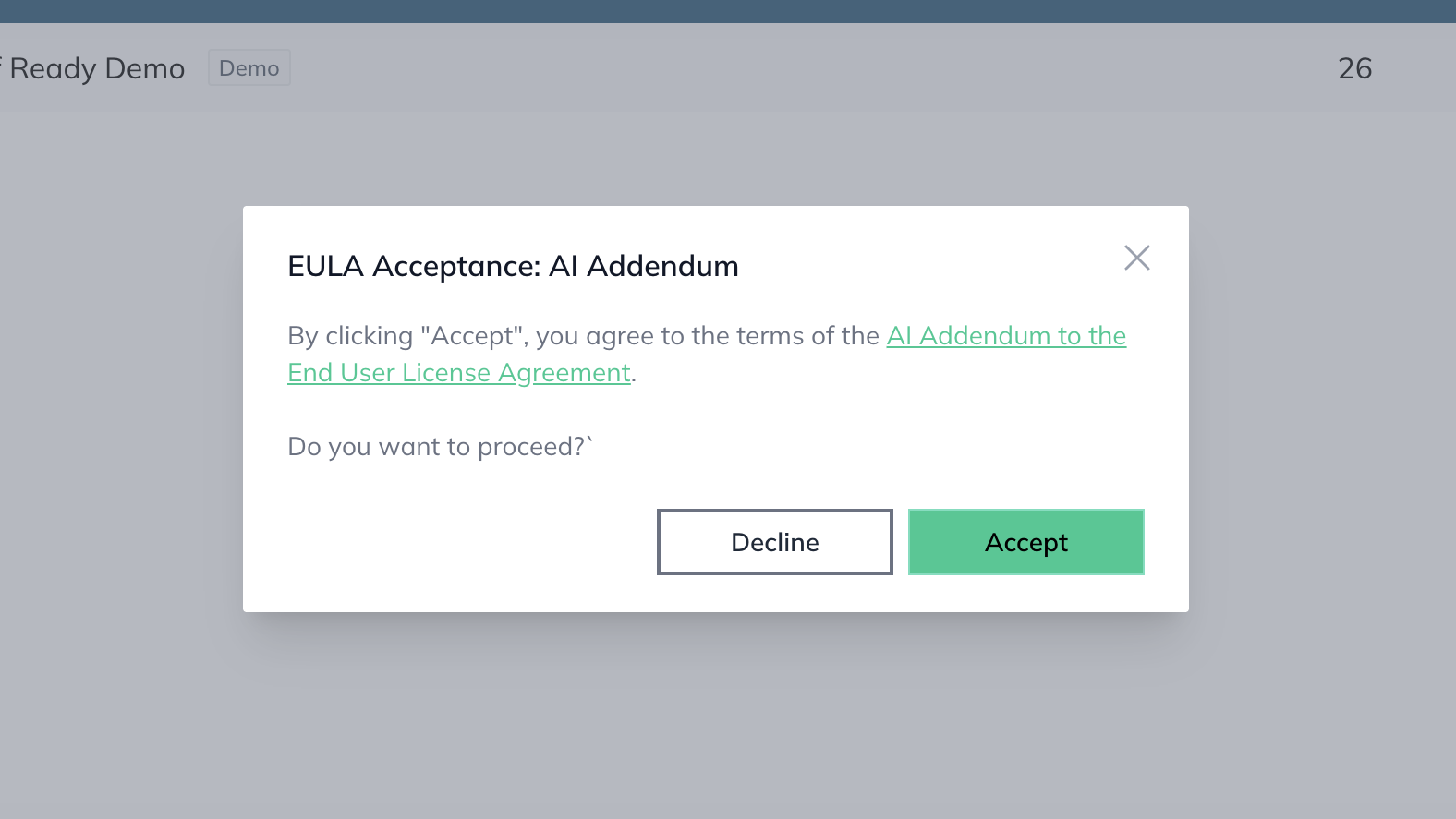
- Review the AI EULA in the floating window.
- Select Accept.
Once accepted, AI features become available for your account.
Option 2: Enable AI Features manually #
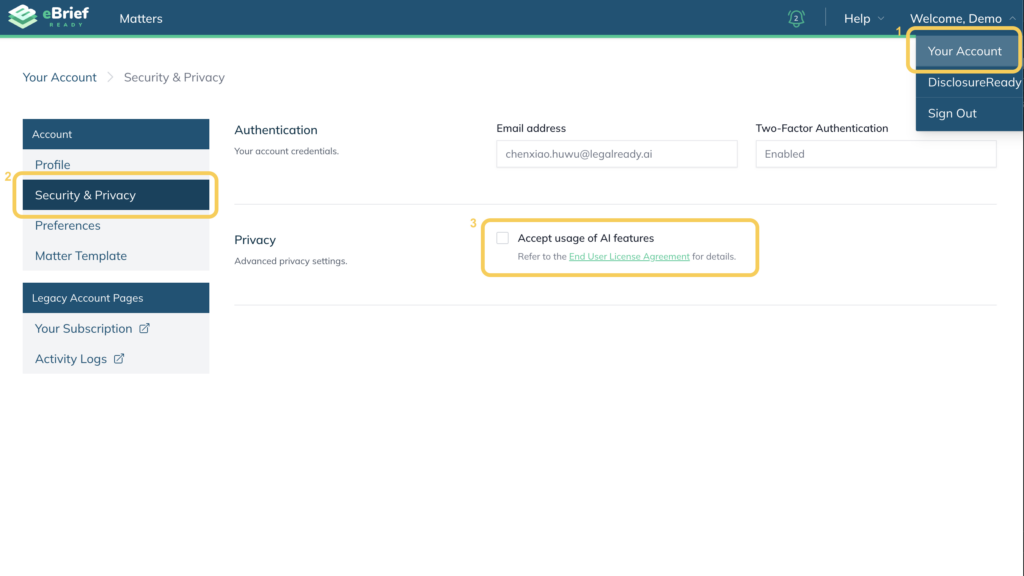
If you do not see the notification, you can enable AI features from your account settings.
- Open Your account.
- Select Security and Privacy.
- Enable the checkbox Accept usage of AI features.
Organisation-managed accounts #
If you belong to an organisation, your organisation administrator must enable AI access before you can use AI features. If AI settings are unavailable, contact your organisation administrator.
Administrators can also configure how AI features are applied across the organisation. To learn more about the available AI policy options, refer to this article.
Stage 2: Enable Matter Intelligence #
After AI features are enabled for your account, you can choose which matters use Matter Intelligence.
Matter Intelligence is enabled individually for each matter.
You can enable or disable Matter Intelligence:
- during matter creation
- after a matter has been created
This provides granular control over which matters use AI-powered functionality.
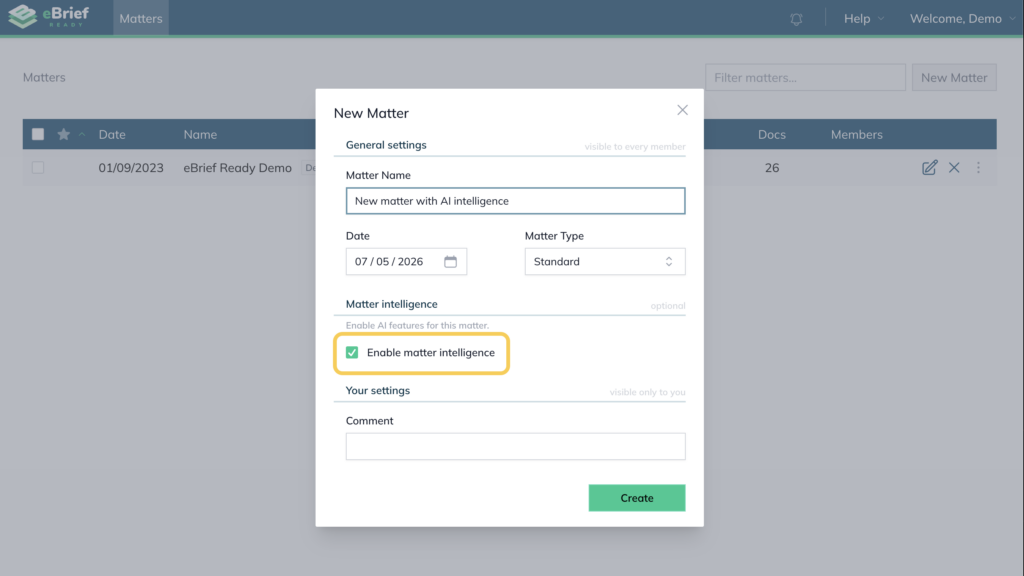
Enable Matter Intelligence during matter creation #
- Create a new matter.
- Enable the Matter Intelligence checkbox.
- Complete the matter creation process.
Enable Matter Intelligence for an existing matter #
- Open the matter.
- Navigate to the matter settings or configuration area.
- Enable the Matter Intelligence option.
- Save your changes if required.
You can disable Matter Intelligence at any time using the same process.