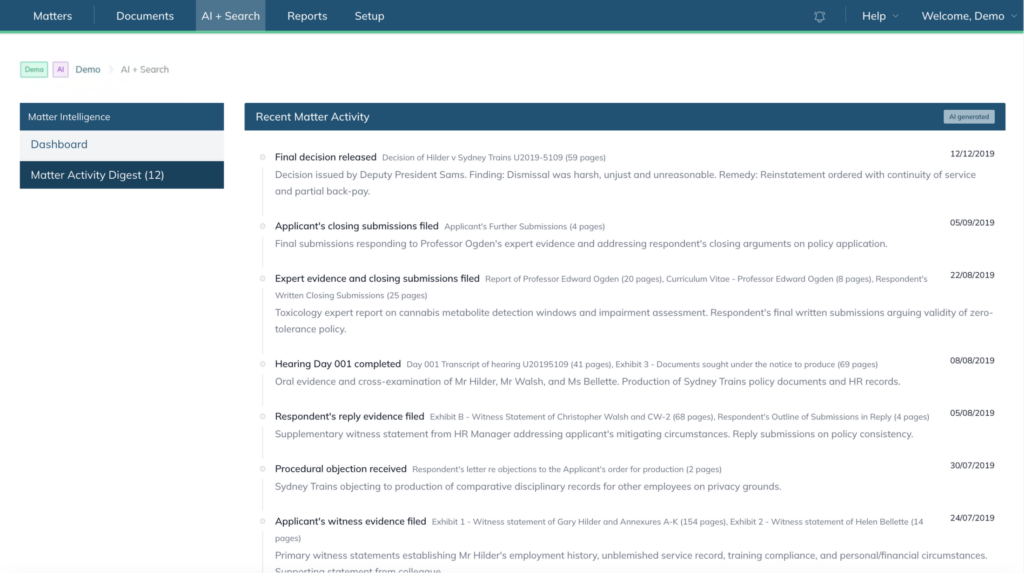
The AI Dashboard available when Matter Intelligence is enabled for a matter provides an AI-generated overview of the matter, including summaries, activity tracking, and document intelligence.
Before you begin #
The AI Matter Intelligence Dashboard is only available when:
- AI features are enabled for your account
- Matter Intelligence is enabled for the matter
For organisation-managed accounts, your organisation administrator must also enable AI access.
To learn how to enable AI in your account, refer to this article.
Accessing the AI Matter Intelligence Dashboard #
- Open a matter with Matter Intelligence enabled.
- Navigate to the AI Dashboard section.
The AI Matter Intelligence Dashboard provides a high-level overview of the matter and its recent activity.
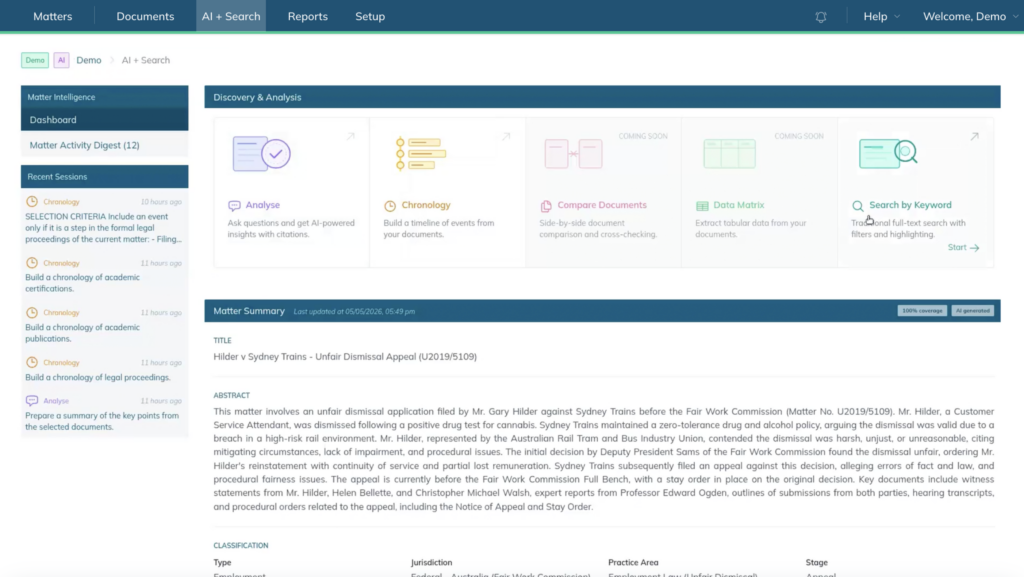
Matter Summary #
The Matter Summary section provides an AI-generated overview of the matter.
This summary may include:
- matter background
- key participants
- classifications
- jurisdictions
- practice areas
- procedural stages
- document structure summaries
The summary updates iteratively as additional documents are processed.
Discovery and Analysis Tools #
The dashboard includes AI-powered analysis tools designed to assist with matter review and document analysis.
Available tools may include:
- Analyse
- Chronology
- Search by Keyword
- Compare Documents (coming soon)
- Data Matrix (coming soon)
Session History #
The Recent Sessions panel provides an AI activity history to track previous AI-generated outputs and actions.
This includes recent AI interactions like chronology requests and analysis sessions.
Matter Activity Digest #
The dashboard also records recent activity associated with the matter, including:
- Applicant’s submissions filed
- Respondent’s submissions filed
- Witness evidence filed
- Objections filed
- Final decision released