
Manage your account preferences, including notification settings, from Your Account. Control notifications at the account level for future matters, and at the matter level for existing matters.
Note: Account preferences are not available on Limited accounts.
Email notifications for future matters (Account Level)
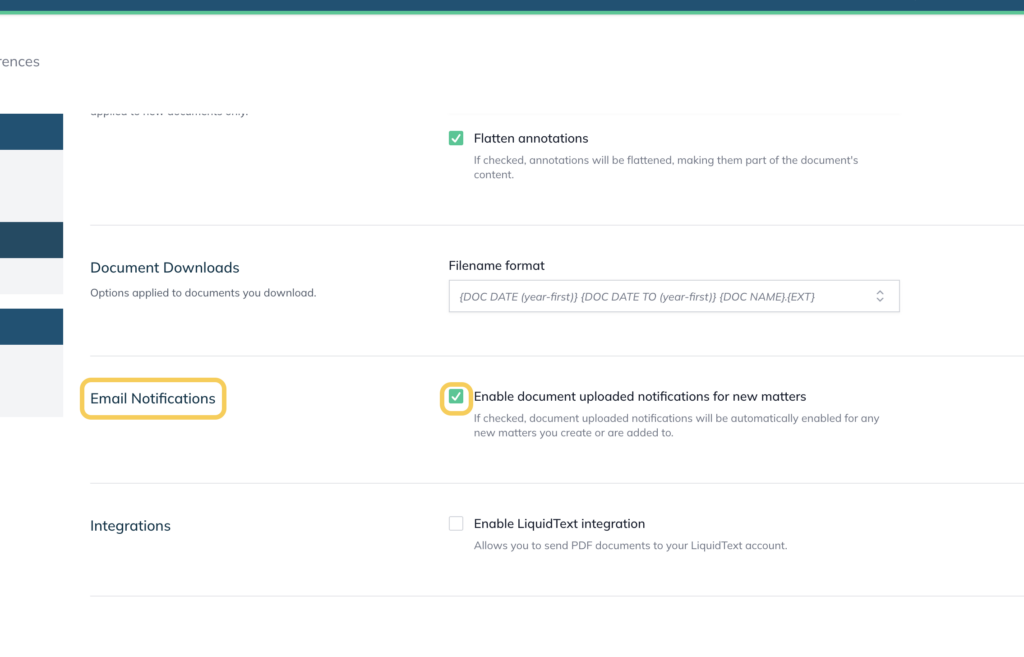
By default, you receive an email notification whenever another user uploads a document to a matter you’re a member of. This setting controls the notifications for matters you join or create going forward.
- Click your Welcome, [Your Name] in the top right corner
- Click Your Account and select Preferences in the left hand menu
- Under Email Notifications, tick or untick Enable document uploaded notifications for new matters
IMPORTANT: Unticking this option stops notifications for future matters only. It does not affect matters you already belong to. To stop notifications on an existing matter, see Email notifications for existing matters (matter level) below.
Email notifications for existing matters (Matter Level)
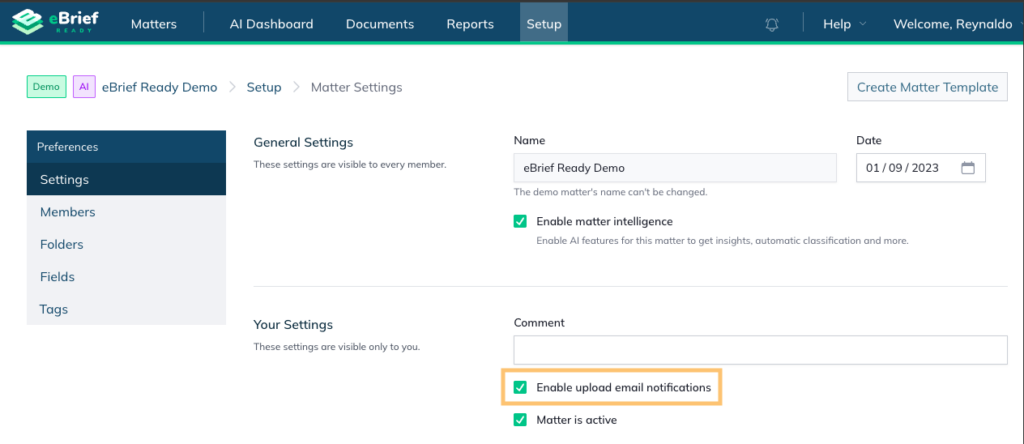
Use the following instructions to stop notifications on a matter you already belong to. This setting applies to one matter at a time.
- Open the matter and click Setup at the top
- Click Settings the left hand menu
- Under Your Settings, untick Enable upload email notifications
- Click Save Changes
Cancelling your account
Your eBrief Ready account can be cancelled at any time by emailing support@legalready.ai in accordance with the eBrief Ready End User Agreement.
Upon cancellation, Legal Ready is not required to maintain a copy of any content you have uploaded to the eBrief Ready system. Your content and any other data owned by you may be deleted without your consent upon cancellation, unless otherwise agreed.
For further information or assistance, please do not hesitate to reach out to our dedicated Support Team via support@legalready.ai or +61 3 9020 4456.