
You can copy a matter and modify it while keeping the original intact. This is useful when you need different content shared with specific external parties such as Expert Witnesses or Consultants.
When a matter is copied, all folders, documents and briefs are copied across.
How to copy a matter #
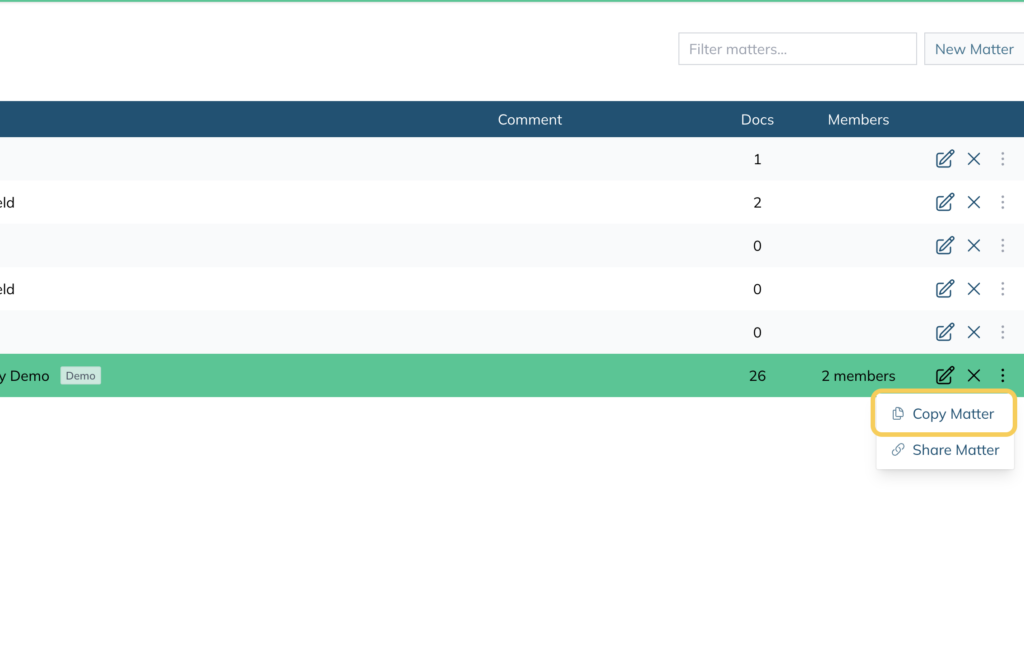
- From the Matters view, locate the matter you want to copy
- Click the three dots on the right hand side of the matter
- Select Copy Matter
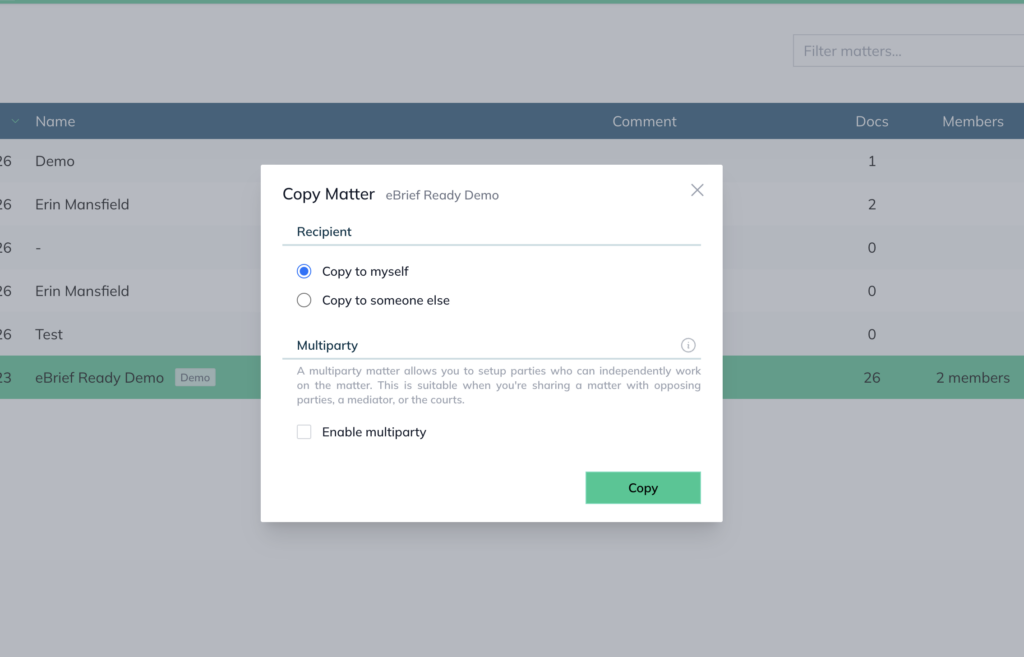
- Choose the recipient:
- Copy to myself — creates a copy in your own account
- Copy to someone else — sends the copy to another user
- (Optional) Tick Enable multiparty if you want the copied matter to be set up as a Multiparty matter
- Click Copy
Once copied, the matter can be updated as required for content, parties and settings.
For further information or assistance, please do not hesitate to reach out to our dedicated Support Team via support@legalready.ai or +61 3 9020 4456.