
You can update a document’s name or date at any time in eBrief Ready. There are two ways to do this — directly inside the document or from the folder view.
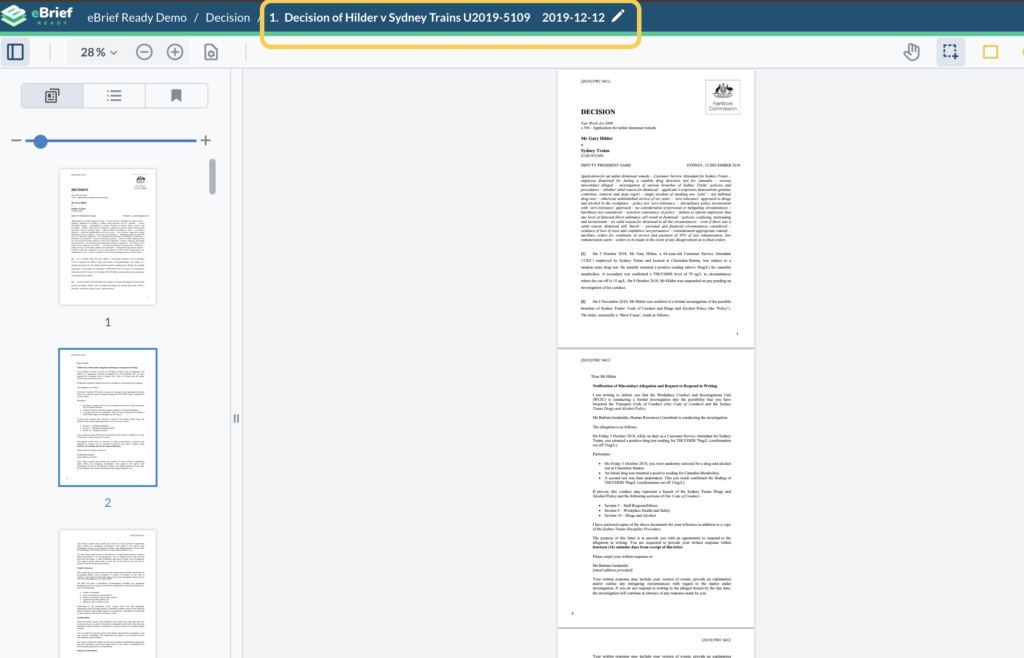
Option 1 — Edit from inside the document #
- Click on the document to open it
- Click the Pencil next to the document name in the top bar
- Type over the existing document name or in the dd/mm/yyyy field, select the new date
- Click the tick to save your changes
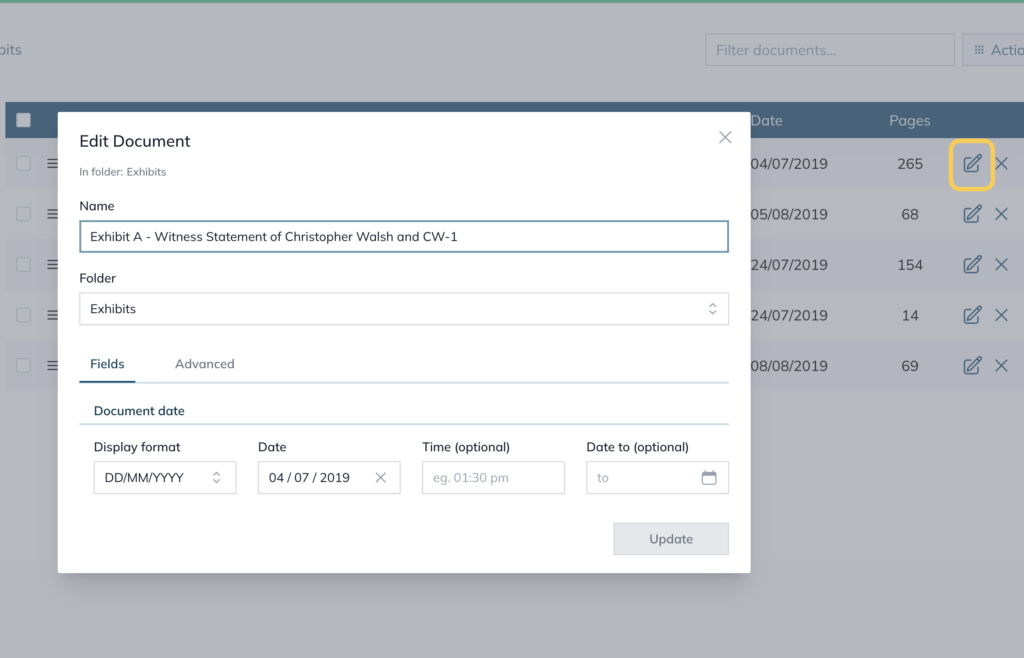
Option 2 — Edit from the folder view #
- Click into your matter
- In the left panel, click the folder containing the document
- Click the Pencil icon next to the document you want to rename
- In the Name field, enter the new name and click the Date field to update the date if needed
- Click Update to save the changes
For further information or assistance, please do not hesitate to reach out to our dedicated Support Team via support@legalready.ai or +61 3 9020 4456.