
Create a matter #
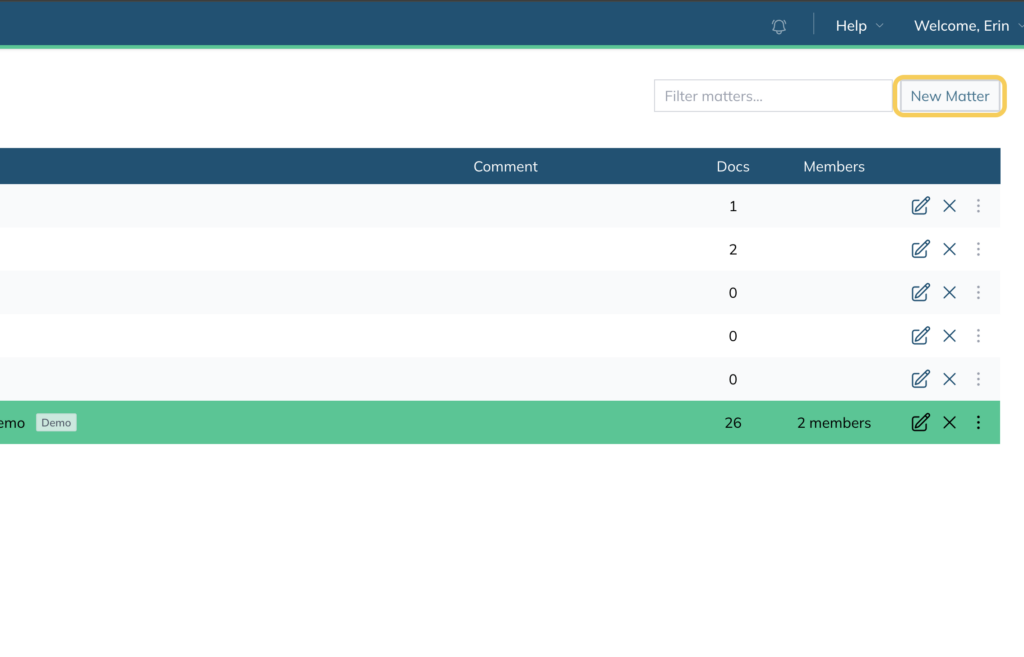
- Click New Matter in the top right corner of the Matters screen
- Enter a Matter Name and select a Date
- Select the Matter Type — Standard (single-party) or Multiparty (multiple independent parties)
- Click Create
Share a matter #
- Open the matter, click Setup, then select Members
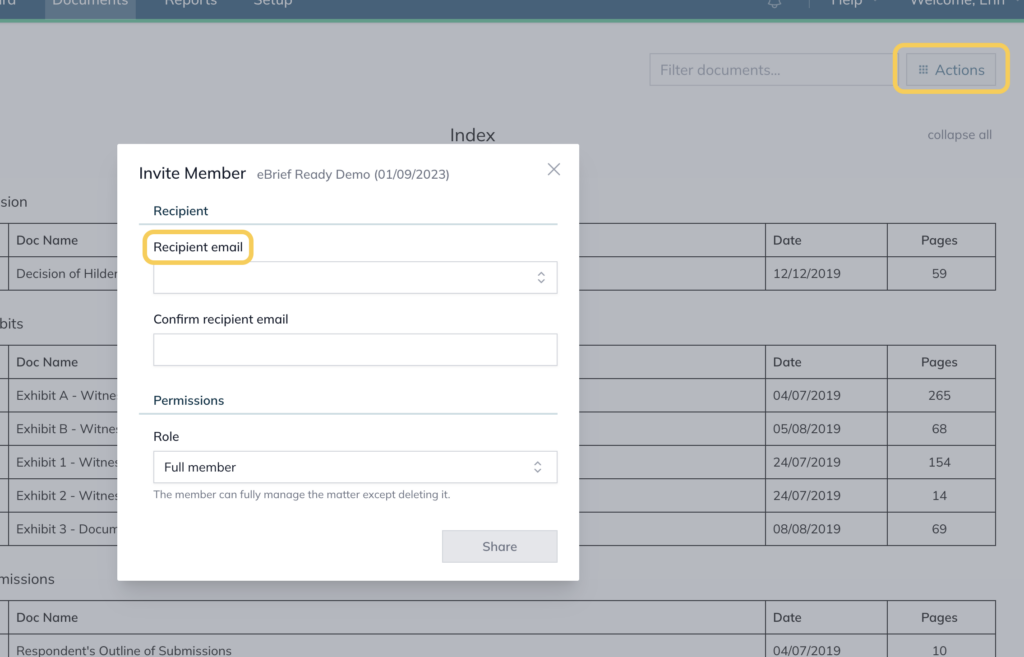
- Click Invite Member
- Enter the recipient’s email and select their permission level
- Click Share
Permission levels #
| Level | Access |
| Matter owner | Full control, including deleting |
| Full member | Manage everything except deleting |
| Regular member | View and upload only |
| Upload only member | Upload only, no visibility of other documents |
For further information or assistance, please do not hesitate to reach out to our dedicated Support Team via support@legalready.ai or +61 3 9020 4456.