
Documents can be moved between folders and subfolders at any time, either individual or in bulk. Relocated files will appear in their new destination folder instantly, with the index updating automatically.
Moving documents #
- Click into your matter and open the folder containing the documents you want to move
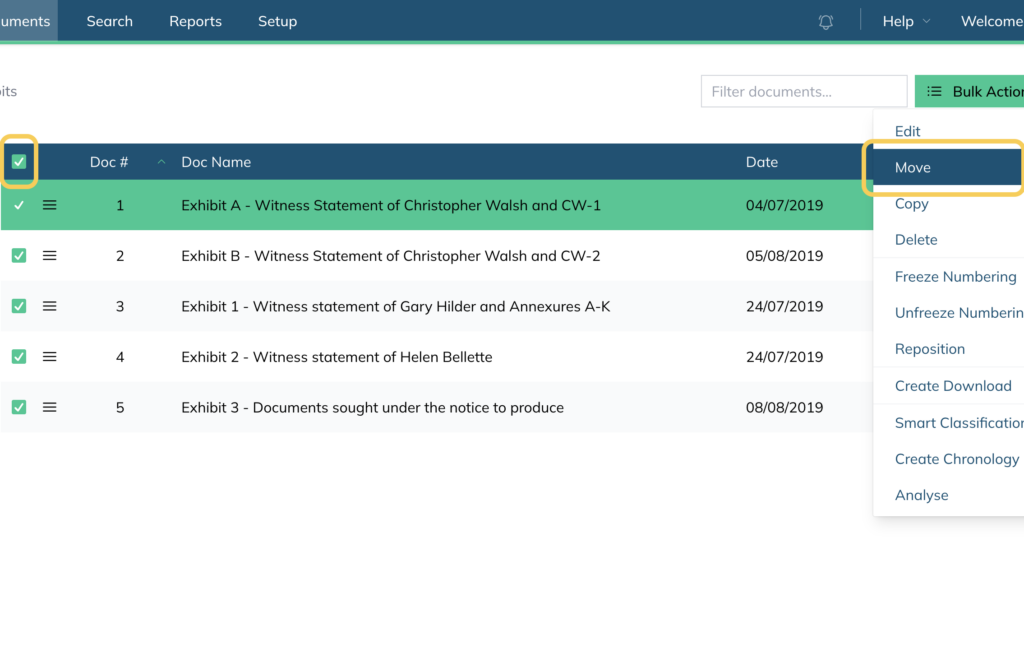
- Select the documents using the checkboxes
- Click Bulk Actions and select Move
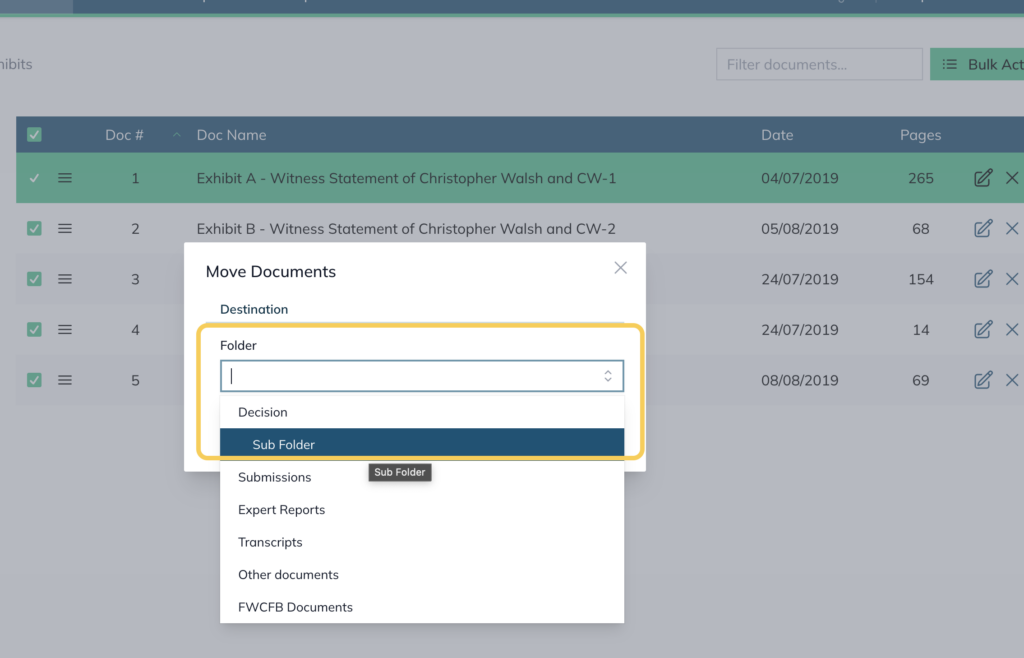
- Select the destination folder or subfolder from the dropdown
- Click Move
Note: You can upload documents directly to a subfolder by selecting it from the folder dropdown in the upload panel (see Uploading Documents for more details).
For further information or assistance, please do not hesitate to reach out to our dedicated Support Team via support@legalready.ai or +61 3 9020 4456.