
You can generate a download of your matter documents as a ZIP file. This allows you to save documents to your computer in either their original file format or as PDFs.
Creating a download #
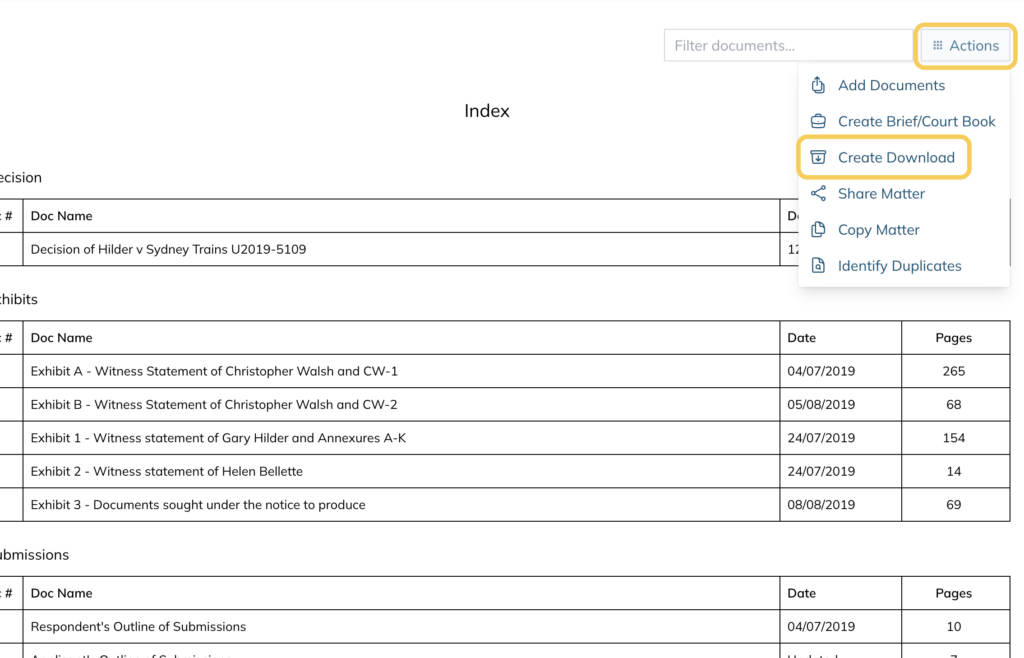
- Open your matter and click Actions in the top right corner
- Select Create Download
- Enter a Name for the download
- Select the Format:
- Original file format — downloads documents in their original file type
- PDF file format — downloads all documents as PDFs
- Under Select folder(s) to include, tick the folders you want to include in the download. Click Uncheck all to deselect all folders
- The Shorten file and folder names for better Windows compatibility checkbox is ticked by default
The Shorten file and folder names for better Windows compatibility checkbox is ticked by default
Note: Leave this ticked unless you have a specific reason to untick it.
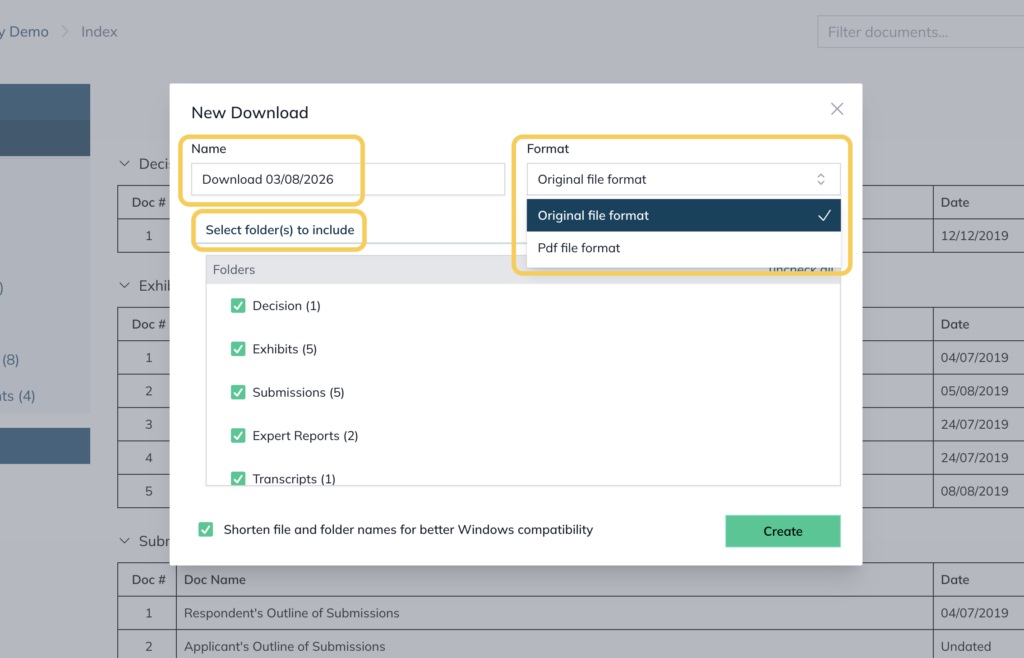
- Click Create
Downloading individual documents #
To download a single document rather than a full folder set:
- Open the folder containing the document
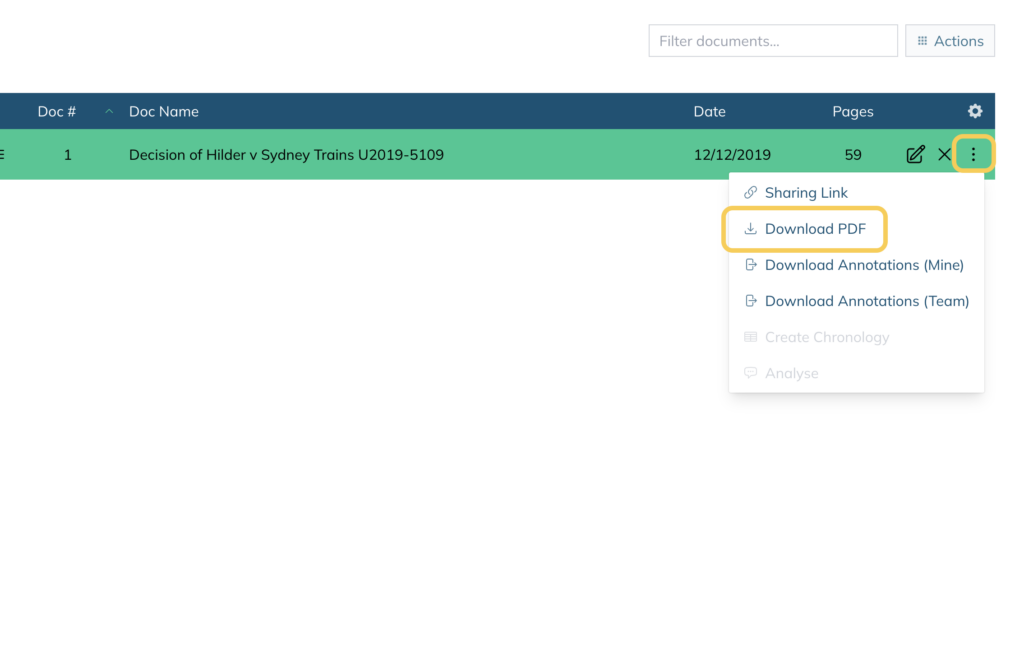
- Click the three dots on the right hand side of the document
- Select Download PDF
For further information or assistance, please do not hesitate to reach out to our dedicated Support Team via support@legalready.ai or +61 3 9020 4456.