
When you make annotations on documents in eBrief Ready, you can control whether they are visible to other members of the matter or kept private to only you.
Making an annotation private #
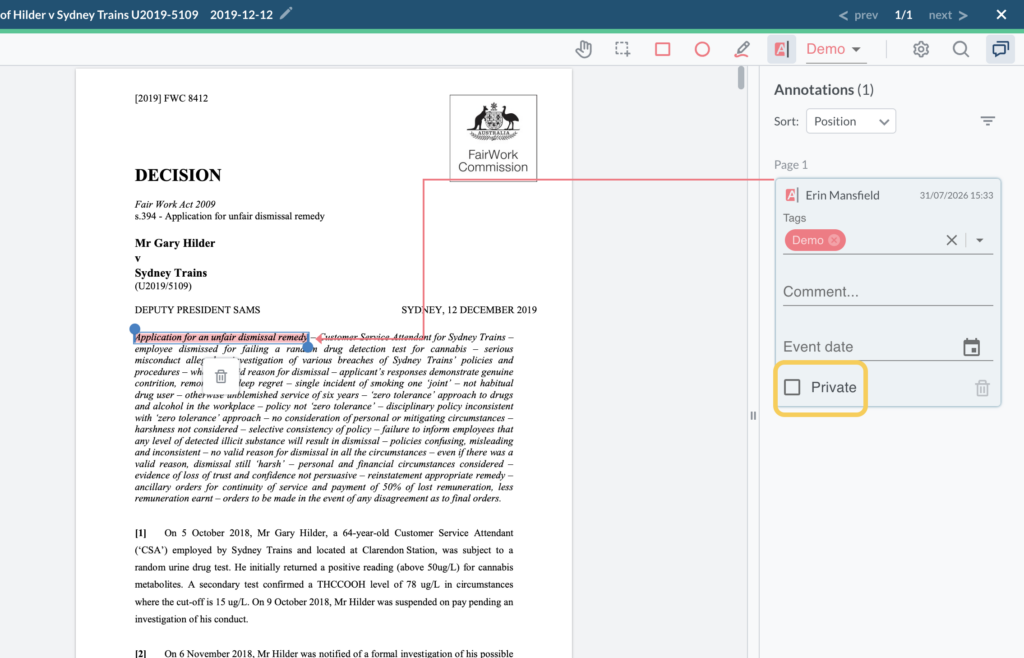
When creating or editing an annotation, you will see a Private checkbox in the annotation panel on the right hand side.
- Unticked — the annotation is visible to all members of the matter who have access to that document
- Ticked — the annotation is private and visible only to you
Annotations in Multiparty matters #
Annotations in a Multiparty matter are private and accessible only to the party that created them. They are never shared between cross parties.
For further information or assistance, please do not hesitate to reach out to our dedicated Support Team via support@legalready.ai or +61 3 9020 4456.