
This article explains how to make a matter inactive.
Making a matter inactive #
- Click into the matter you wish to make inactive
- Navigate to the Setup tab
- Untick the Matter is active checkbox
- Click Save Changes to confirm your updates
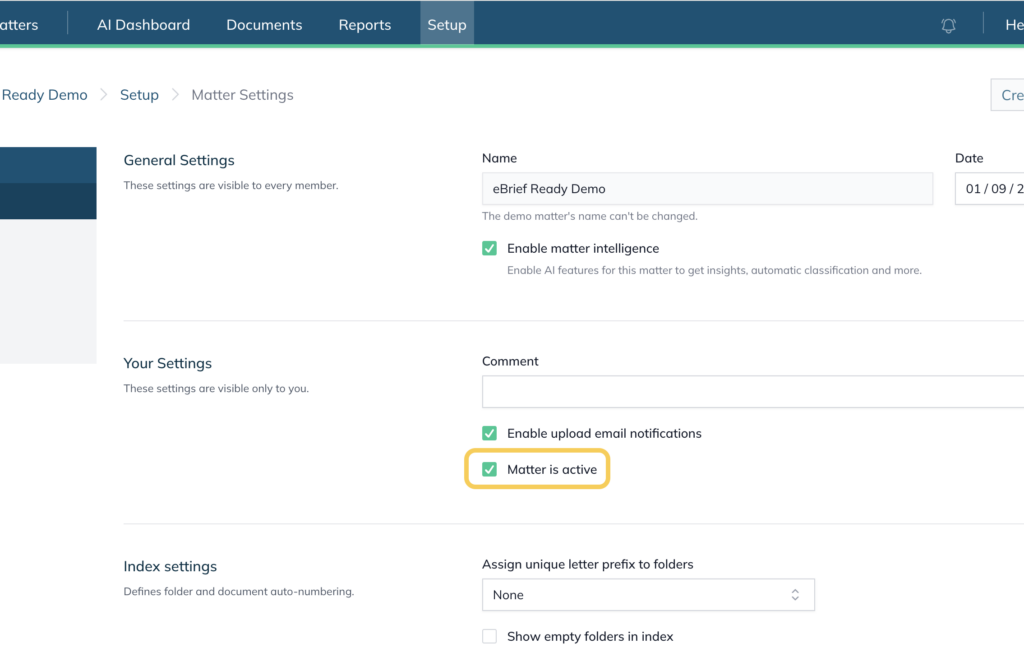
Once saved, return to the main Matters page. You will see sections for both Active Matters and Inactive Matters — the matter you updated will now appear under the Inactive Matters section.
For further information or assistance, please do not hesitate to reach out to our dedicated Support Team via support@legalready.ai or +61 3 9020 4456.