
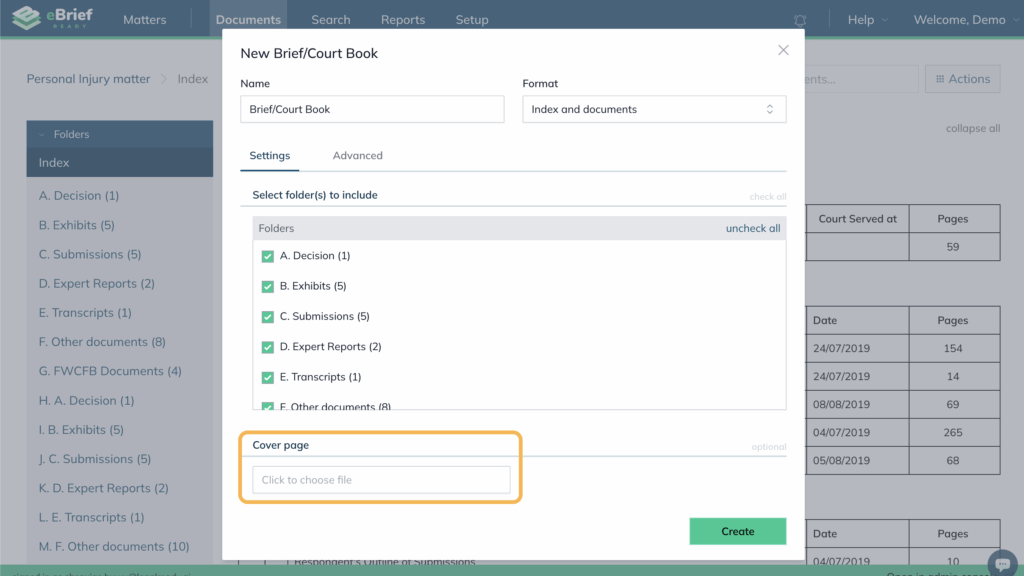
During bundle creation, include the affidavit document in the Cover Page section. This cover page will be inserted at the front of the bundle and can be used to present affidavit-style material.
- Open your matter and click Actions
- Click Create Brief/Court Book
- In the Name field, enter a name for your Brief/Court book
- From the Format dropdown, select the type of document you require
- In the Settings tab, select the folders to include
- Under Cover Page, click Click to choose file and select your affidavit document
- Click Create
For further information or assistance, please do not hesitate to reach out to our dedicated Support Team via support@legalready.ai or +61 3 9020 4456.