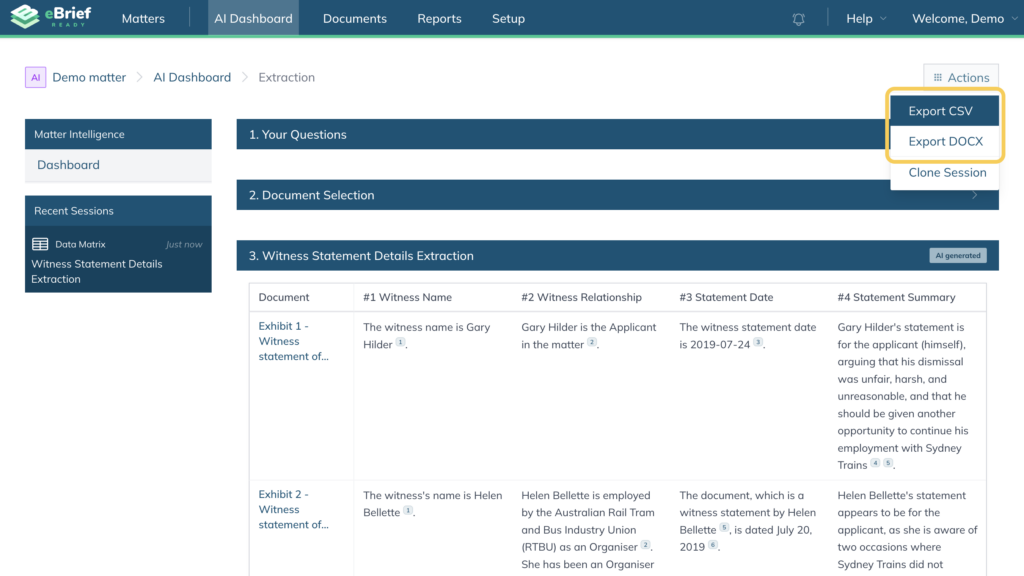
You can generate a Data Matrix for a specific document or a set of documents within your matter using AI matter intelligence.
How to generate your Data Matrix #
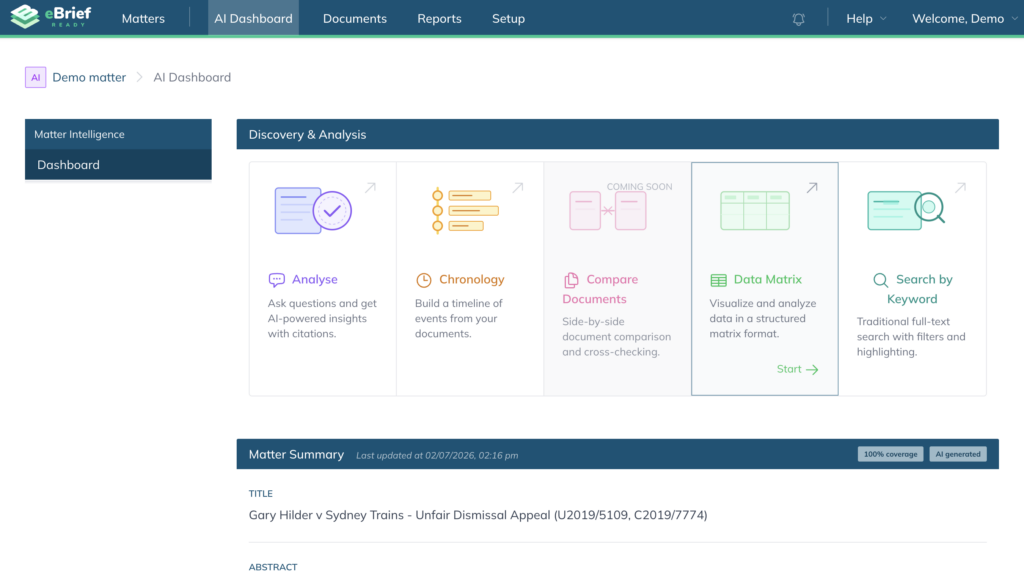
- Open your matter and click the AI Dashboard tab in the top navigation menu
- On the Dashboard, select Data Matrix from the Discovery & Analysis section
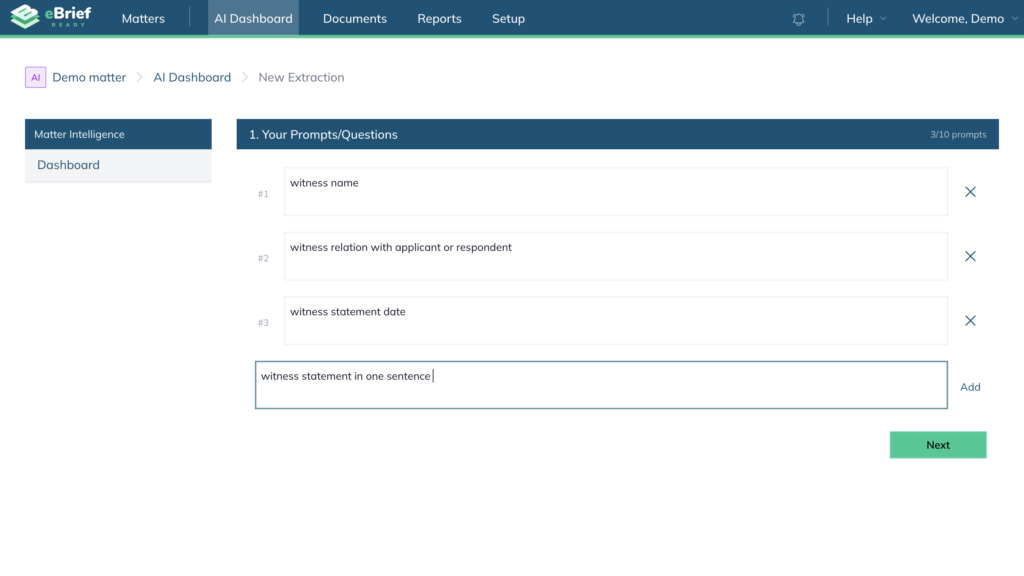
- Under Your Prompt/Question, enter your prompt or question (eg Prepare a summary of the key points from the selected documents), and click Add
- Add another prompt or question
Note: You can only add up to 10 questions in your data matrix
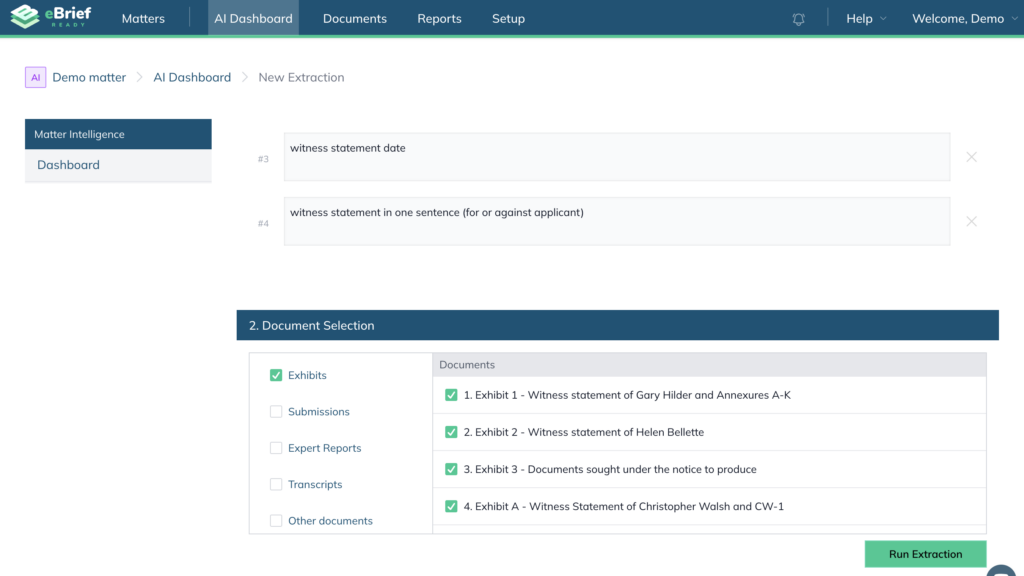
- Under Document Selection, select the folders and individual documents you want to include
Note: You can tick folders on the left to select all documents within them, or select individual documents on the right. - Click Run extraction
Once the documents have been processed, the response will be displayed and saved in the Recent Sessions section on the left hand side.
Note: If the documents are being processed for the first time, the system will take slightly longer to produce a response.
Review your results #
Documents are listed in separate rows, and questions are numbered and displayed in columns.
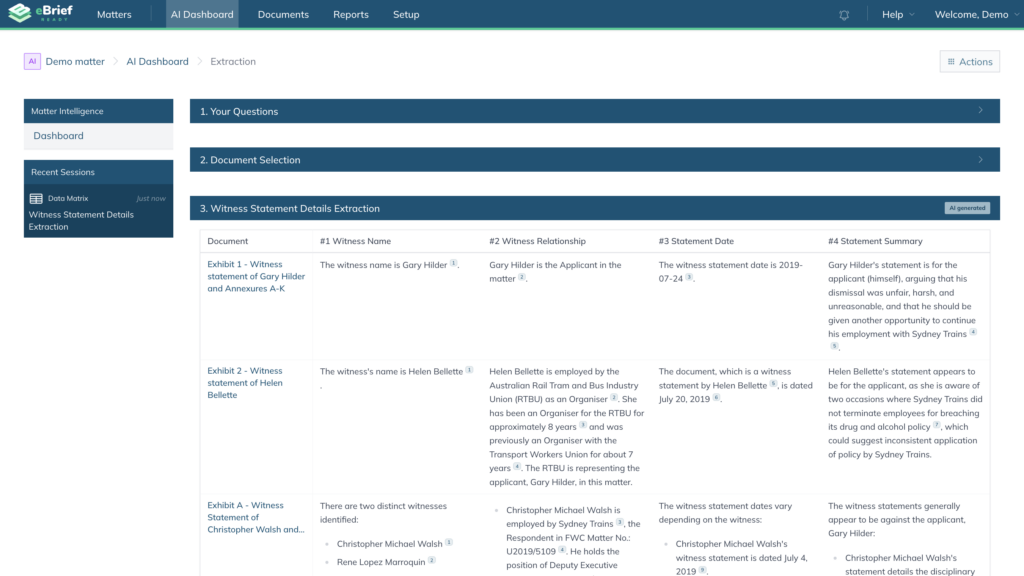
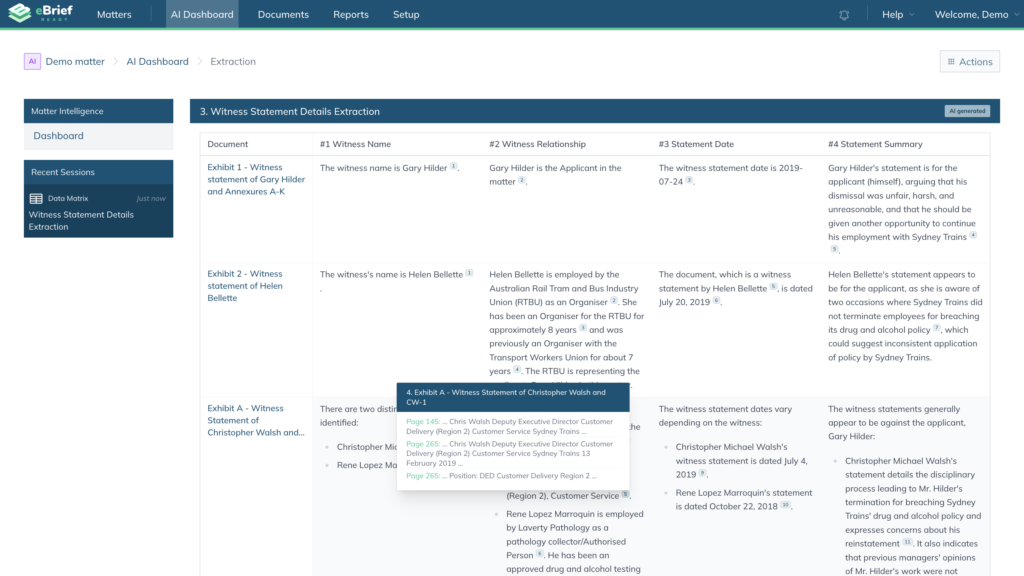
You can review the citation to cross-reference back to the specific documents’ passages and page.
Exporting your results #
To export the results for offline use:
- Click Actions in the top right corner
- Click either Export CSV or Export DOCX as your export format