
You can add a cover page to your brief or court book when creating it.
Adding a cover page #
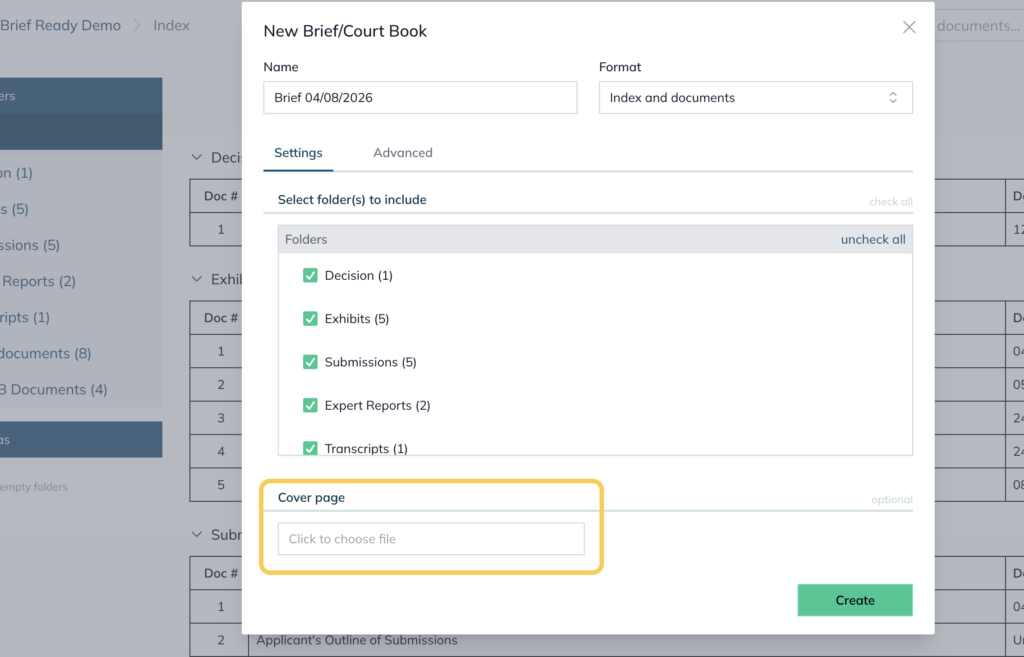
- When creating a new Brief/Court Book, go to the Settings tab
- Under Cover page (optional), click Click to choose file to select your cover page file
Adding a page after the index #
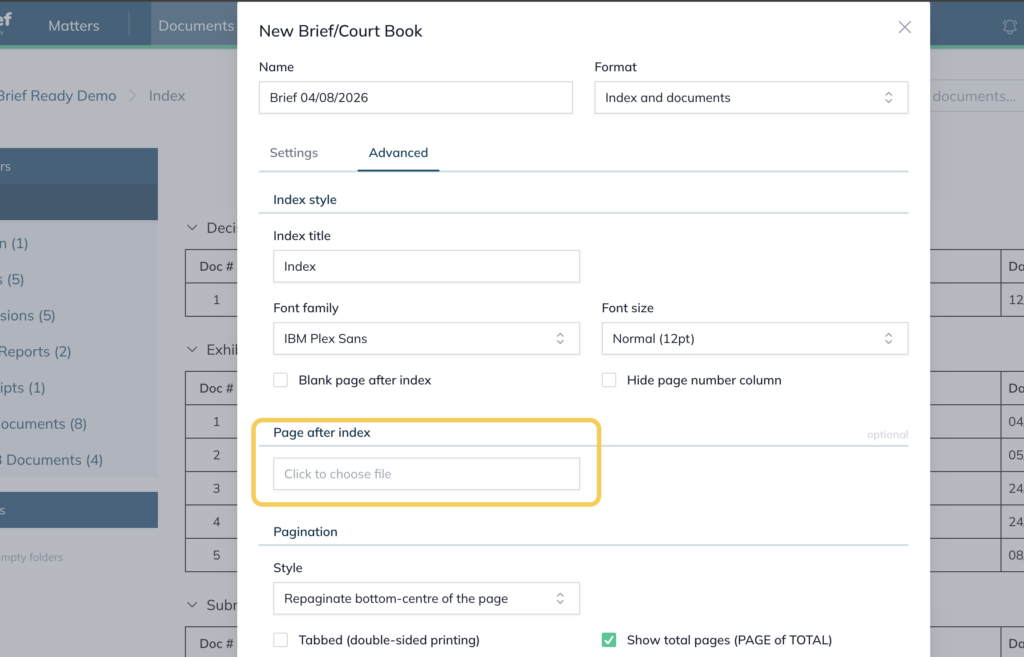
You can also insert a page directly after the index.
- Go to the Advanced tab
- Under Page after index (optional), click Click to choose file to select the file
For further information or assistance, please do not hesitate to reach out to our dedicated Support Team via support@legalready.ai or +61 3 9020 4456.