
eBrief Ready integrates with a range of legal practice and document management systems, allowing you to move documents directly into eBrief Ready from your existing software.
Note: You must have a Law Firm or Law Firm Plus subscription to access most integrations. See Subscription options for more detail.
Standard integrations #
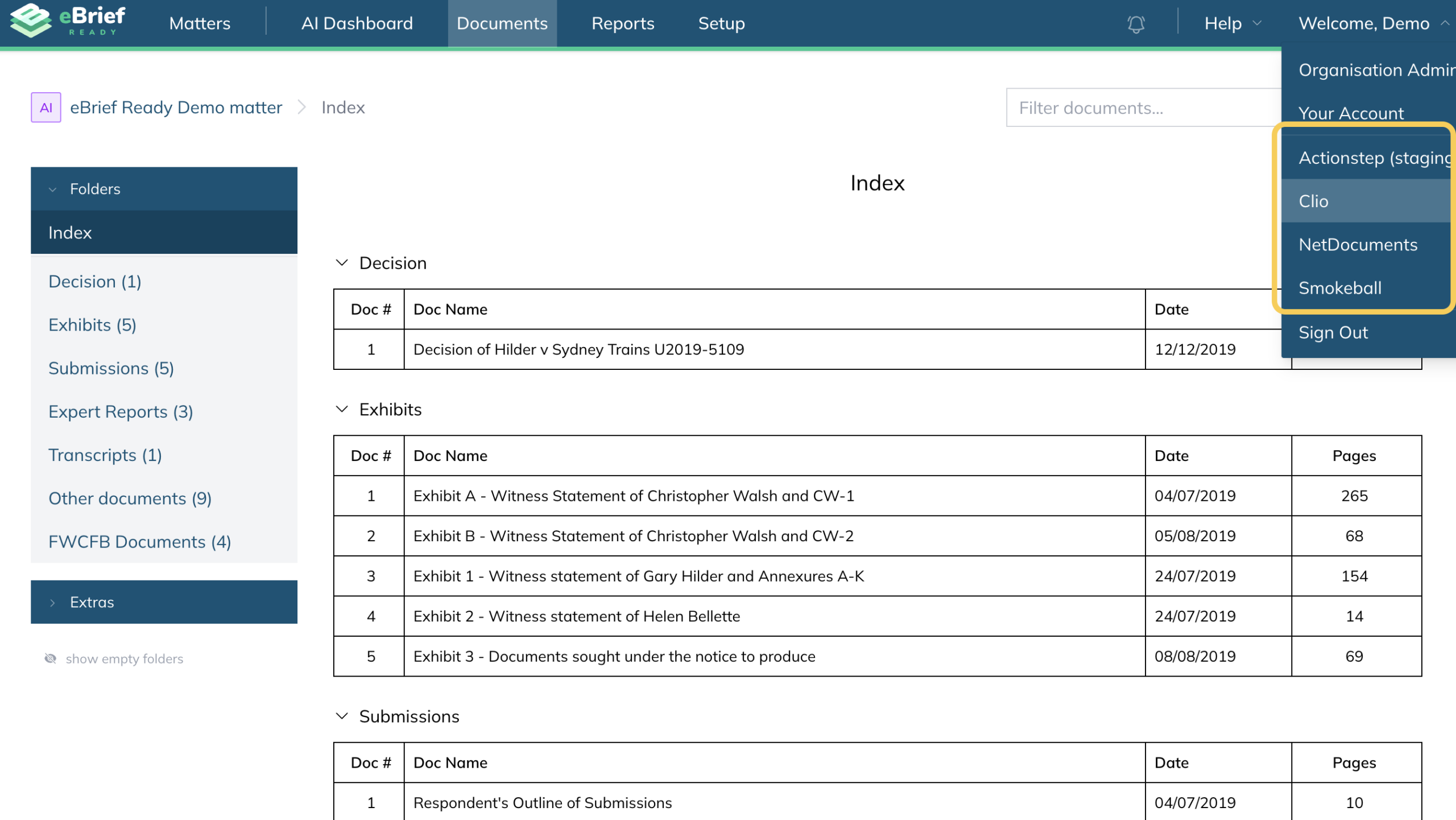
The following integrations allow you to connect directly to eBrief Ready through your username menu.
Available integrations in eBrief Ready
- Clio — matter management and document sharing
- iManage — document and email management with AI features
- Smokeball — cloud-based legal practice management
- Actionstep — practice management for midsize law firms
- NetDocuments — enterprise cloud document and email management
- EvolveGo — end-to-end legal practice management.
For full details on each integration visit eBrief Ready Third Party Integrations.
You will only see the integration option once it has been enabled for your organisation by the eBrief Ready support team. If you would like to enable a trial of the integration please contact support@legalready.ai to set up.
Importing documents through the integration
- Log into eBrief Ready.
- Click on “Welcome, (your username)” menu in the top right corner and select the integration
- When prompted, sign into your practice management system and grant the required permissions by clicking “Allow”.
This allows eBrief Ready to securely access your matters. - Once authenticated, you will see a list of your matter categories. Select the “All matters” category.
- Select the relevant matter in your practice management system.
The folders and documents associated with that matter will be displayed. - Select Manage Links at the top right corner of the integration panel to either create a new eBrief Ready matter or link to an existing one by ticking on the checkbox next to the matter name and “Update links”.
Note: you can search your existing matter via the matter name in the search bar - Once linked, the folder structure of the eBrief Ready matter will be displayed.
Now you can import either entire folder structures or individual documents as follows.
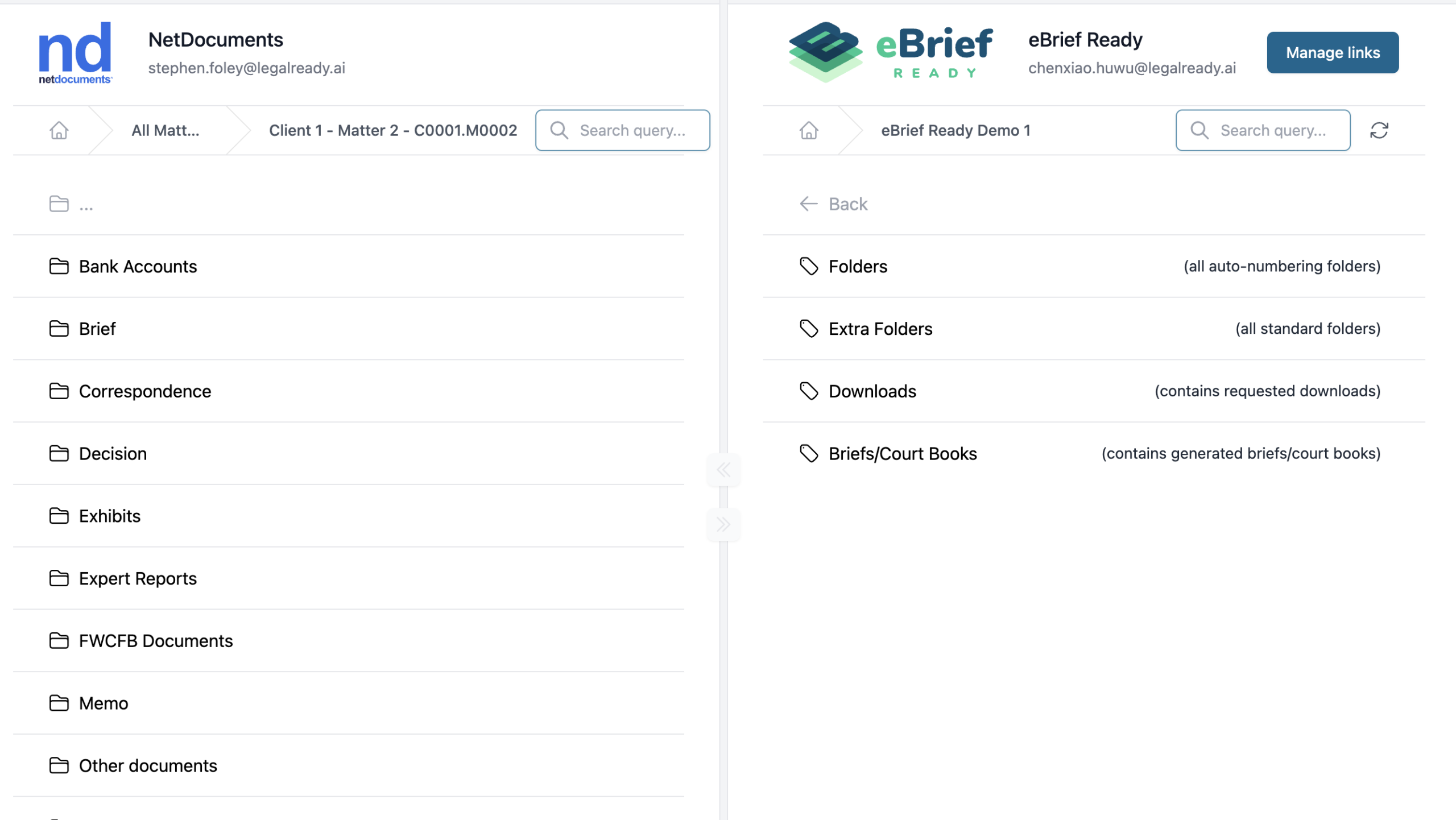
Importing folders
- Navigate to the relevant folder in your practice management system.
- Open the destination folder in eBrief Ready.
- Drag and drop the folder into eBrief Ready.
If the folder contains subfolders, the original structure is preserved automatically.
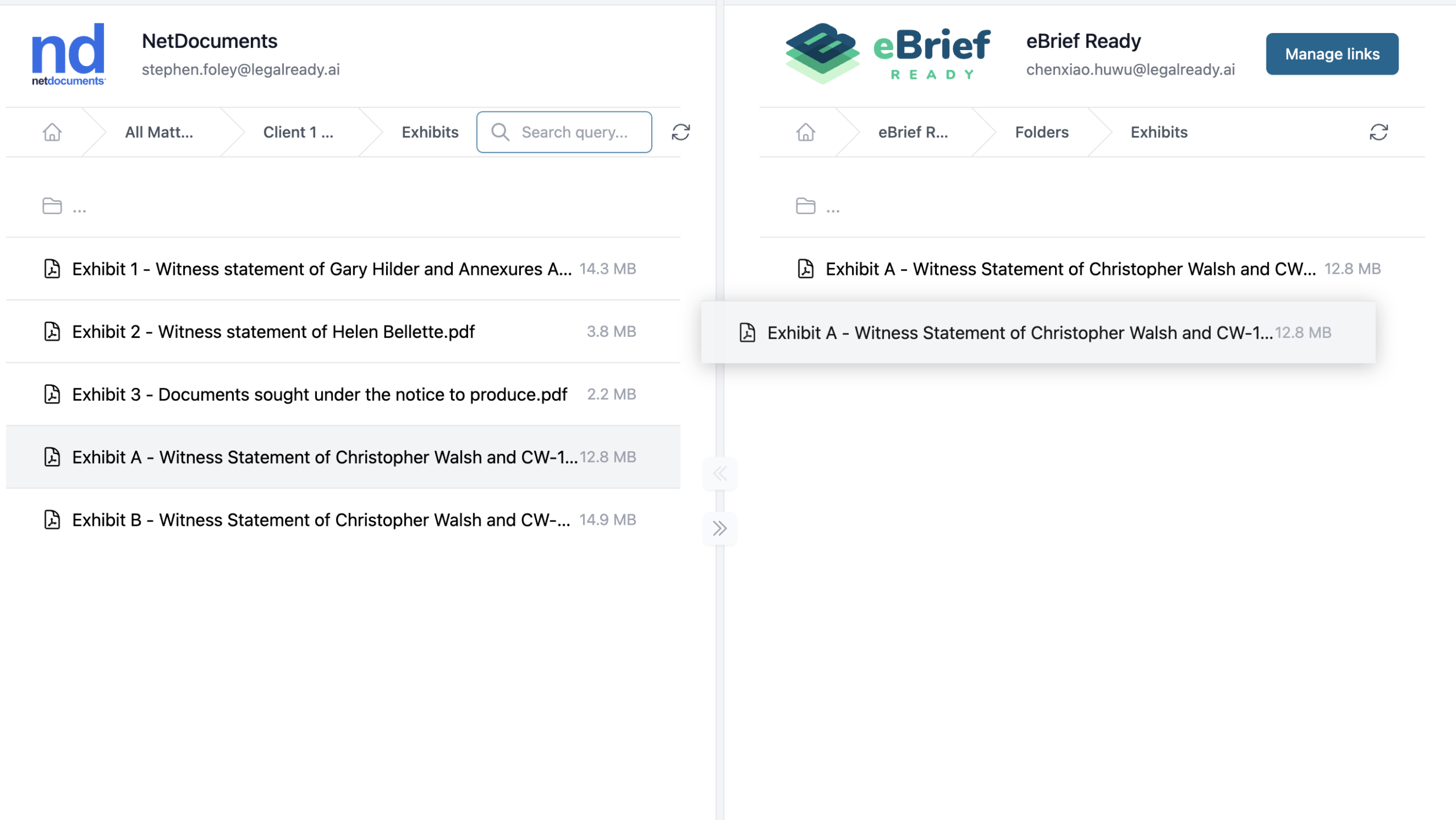
Importing individual documents
- Open the relevant folder in your practice management system.
- Open the destination folder in eBrief Ready.
- Drag and drop the document into place.
All imported folders and documents will start uploading immediately into eBrief Ready. You will see a progress bar at the bottom of the right side panel.
Note: This is a two-way integration — documents and folders in eBrief Ready can also be imported back into your practice management system if you have the permissions to do so in your matter in your PMS. This removes the need for manual downloads and re-uploads.
Other integrations #
FilePro and Affinity
FilePro and Affinity integrate with eBrief Ready through KaiExporter — a tool developed by our integration partner Sirokai Solutions. KaiExporter leads you through a simple step-by-step wizard to search, name and upload files directly into eBrief Ready.
For information on KaiExporter and how to get set up, visit the FilePro integration page or the Affinity integration page on the eBrief Ready website.
For further information or assistance, please do not hesitate to reach out to our dedicated Support Team via support@legalready.ai or +61 3 9020 4456.